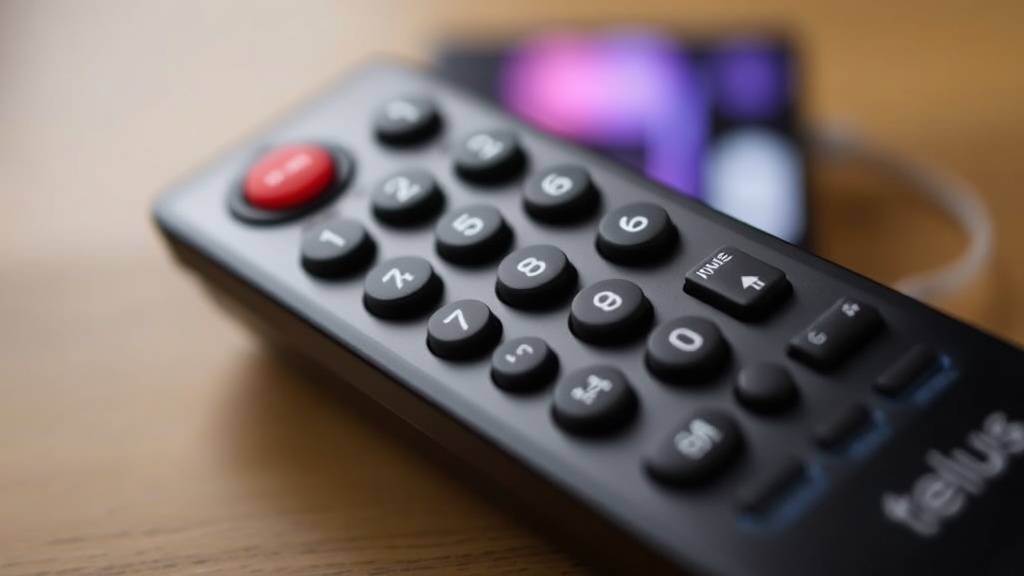
Troubleshooting Guide: Discover How to Fix Telus Remote Wont Work and Reclaim Your Viewing Joy
Troubleshooting Guide: Discover How to Fix Telus Remote Won’t Work and Reclaim Your Viewing Joy
Few things are more frustrating than settling in for a cozy movie night only to discover that your telus remote won’t work. This common issue can disrupt your entertainment experience, leaving you scrambling to find solutions. Whether your remote is unresponsive or behaving unpredictably, understanding the root causes can help you quickly regain control of your viewing pleasure.
In this comprehensive troubleshooting guide, we’ll explore why your telus remote won’t work and provide practical, step-by-step solutions. From simple fixes to knowing when to seek professional help, this article aims to empower you to resolve remote issues efficiently. So, if you’re tired of the silence from your remote or the endless blinking lights, read on to discover effective ways to fix the problem and reclaim your enjoyment.
Understanding Why Your Telus Remote Won’t Work
What Causes a Telus Remote to Stop Responding?
When your telus remote won’t work, several factors could be at play. The most common causes include dead batteries, signal interference, physical damage, or outdated firmware. Recognizing these causes is crucial before attempting repairs.
For instance, if the remote’s batteries are drained or improperly installed, it won’t send signals effectively. Similarly, electronic interference from other devices—like wireless routers or cordless phones—can disrupt communication between the remote and your Telus set-top box. Additionally, physical damage such as a cracked remote or spilled liquids can impair internal components, rendering it useless. Lastly, firmware glitches or software conflicts may cause unresponsiveness.
Understanding the root cause helps tailor the troubleshooting process, saving you time and effort. If you notice the remote’s LED indicator isn’t blinking or the remote isn’t responding even after replacing batteries, it’s time to dig deeper. The next sections will guide you through identifying and fixing these issues step-by-step.
Common Causes of a Non-Responsive Telus Remote
Why Might Your Telus Remote Not Respond?
Several recurring issues contribute to a telus remote won’t work scenario. Here’s a breakdown of the most frequent causes:
- Dead or weak batteries — often overlooked but the simplest fix.
- Obstructions between the remote and the receiver — furniture or other objects blocking the IR signal.
- Infrared sensor malfunctions — either on the remote or the set-top box.
- Firmware or software glitches — particularly after updates or power interruptions.
- Remote damage — such as a cracked shell or internal component failure.
- Electrical interference — from other wireless devices or home electronics.
For example, if your remote suddenly becomes unresponsive after a storm or Wi-Fi upgrade, interference could be the culprit. Similarly, if the remote’s buttons feel sticky or unresponsive, physical damage might have occurred, which can be more challenging to fix without replacement.
Identifying these causes allows you to focus on targeted solutions, which we’ll explore in detail. Now, let’s move to practical troubleshooting steps you can take if your telus remote won’t work.
Step-by-Step Troubleshooting for telus remote won’t work
How to Fix a Telus Remote That Won’t Respond
- Check and Replace Batteries
- Test the Remote’s IR Signal
- Clear Obstructions and Test Line of Sight
- Reset the Set-Top Box and Remote
- Re-pair or Reprogram Your Remote
- Update Firmware or Software
- Replace the Remote
The first step is often the simplest. Remove the remote’s batteries, inspect them for corrosion or damage, and replace them with fresh, high-quality batteries. Ensure they are installed correctly, matching the positive and negative terminals.
Use your smartphone camera to test the remote’s IR emitter. Point the remote at your phone camera and press any button. If you see a flashing light on your screen, the remote’s IR is functioning. If not, the remote may be defective or damaged.
Ensure nothing blocks the signal path between your remote and the set-top box. Remove any objects or electronic devices that might interfere with the IR transmission. Also, keep the remote within a reasonable distance—typically 5 meters or less—for optimal response.
Sometimes, resetting your equipment can resolve temporary glitches. Turn off your Telus receiver, unplug it for about 30 seconds, then plug it back in. Additionally, if your remote has a reset or pairing button, press it following the manufacturer’s instructions.
If your remote is a Bluetooth or RF model, it may need to be re-paired with your device. Consult the Telus manual or website for specific pairing instructions, which typically involve pressing certain button combinations.
Check if your Telus device or remote needs firmware updates. These updates often fix bugs that cause telus remote won’t work. Access the settings menu via your TV or contact Telus support for assistance.
If all else fails, and the remote remains unresponsive despite troubleshooting, consider requesting a replacement from Telus. Sometimes, internal damage or wear-and-tear make repairs impractical.
Following these steps systematically can often resolve issues where your telus remote won’t work. However, if problems persist, it might be time to explore preventative tips or seek professional support.

Preventative Tips to Avoid Future Remote Issues
How to Keep Your Telus Remote Functioning Smoothly
Prevention is always better than cure, especially with electronics. Here are some practical tips to ensure your telus remote won’t work problems don’t become a recurring headache:
- Replace batteries regularly—preferably once every few months or at signs of dim LED indicators.
- Avoid exposing the remote to extreme heat or moisture, which can damage internal circuits.
- Keep the remote clean—use a soft cloth to wipe away dust and grime from buttons and sensors.
- Store the remote in a designated spot where it’s less likely to fall or get knocked over.
- Minimize interference by keeping other electronic devices away from the remote and receiver.
- Update firmware and software as recommended by Telus to keep devices running smoothly.
For example, simple habits like cleaning the remote weekly and replacing batteries proactively can extend its lifespan and reduce the chances of encountering telus remote won’t work issues.
When to Contact Telus Support
Seeking Professional Help for Persistent Remote Problems
Despite your best troubleshooting efforts, some issues require expert intervention. If you’ve tried all the above steps and your telus remote won’t work, it’s advisable to contact Telus customer support. They can diagnose hardware failures or firmware issues that aren’t fixable at home.
Consider reaching out if:
- The remote shows no IR signal or pairing options despite fresh batteries.
- The remote’s buttons are physically damaged or unresponsive even after cleaning.
- Firmware updates fail or the device exhibits persistent glitches.
- All troubleshooting steps have been exhausted without success.
Telus support can often provide replacement options or offer on-site assistance, ensuring you’re not left in the dark during your favorite shows. Remember, professional help is sometimes the fastest route to a fully functional remote.
References and Resources
These resources provide valuable information about telus remote won’t work. Check them out for additional insights:
Authoritative Sources on telus remote won’t work
-
Telus Support Remote Troubleshooting
telus.comOfficial guide to remote setup, troubleshooting, and replacement options for Telus devices, including common solutions for telus remote won’t work.
-
Consumer Reports: Telus TV Review
consumerreports.orgInsights into Telus TV equipment reliability and tips for avoiding remote issues, including troubleshooting advice.
-
TechRepublic: Remote Control Troubleshooting
techrepublic.comGeneral remote troubleshooting techniques applicable to Telus remotes and other IR-based devices.
-
How-To Geek: Troubleshoot Remote Problems
howtogeek.comPractical tips for troubleshooting remote controls, including specific advice for TV remotes similar to Telus devices.
-
Repair Clinic: Remote Repair Guides
repairclinic.comDetailed repair guides for remote control hardware issues, useful if your telus remote won’t work due to internal damage.
-
CNET: Fixing Remote Controls
cnet.comComprehensive troubleshooting steps applicable across many remote brands, including insights relevant to Telus remotes.
Conclusion
When facing issues with your telus remote won’t work, the key is to stay calm and follow a structured troubleshooting approach. Most problems stem from simple causes like dead batteries or obstructions, which can be resolved with basic steps. Yet, understanding when to escalate the issue—such as hardware failure or persistent glitches—ensures you don’t waste time on futile fixes.
Reclaiming your viewing joy involves a combination of preventative maintenance and knowing when to seek professional support. With these insights, you’ll be better equipped to handle remote issues promptly, minimizing frustration and maximizing your entertainment experience. Remember, a little troubleshooting can go a long way in keeping your Telus remote functioning smoothly, so don’t hesitate to act quickly when telus remote won’t work.

Find out more information about “telus remote won't work”
Search for more resources and information: