Quick Guide: How to Fix Your TV Not Working After a Power Outage and Regain Your Entertainment
Understanding Why tv not working after power outage
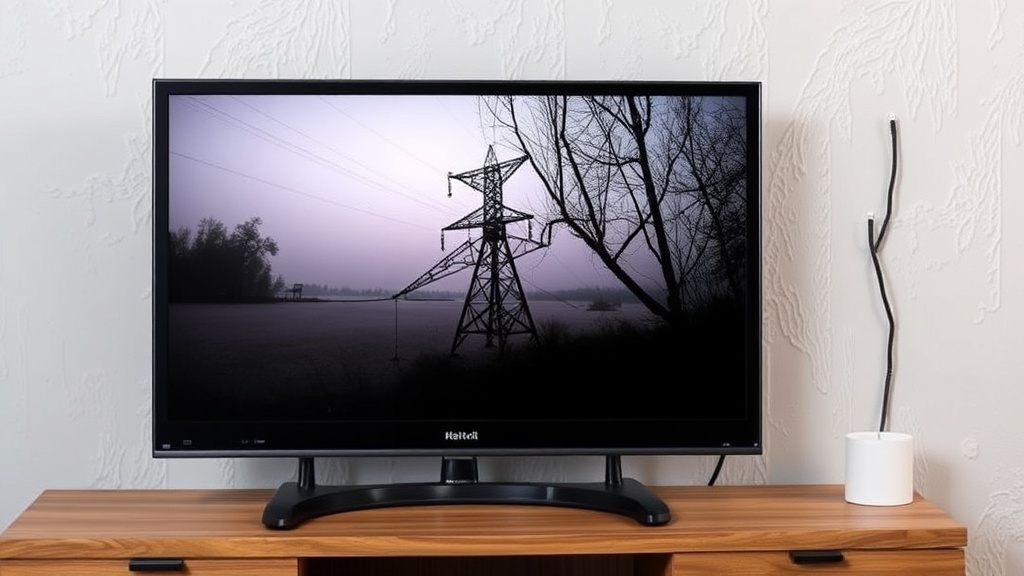
When the lights go out unexpectedly, it’s common to assume everything will be fine once power is restored. However, many homeowners encounter a frustrating situation: their TV not working after power outage. This issue can seem perplexing, especially when your other appliances are functioning normally. The reality is, power outages can cause a variety of disruptions to your TV’s internal systems, leading to a complete lack of picture or sound.
A sudden power cut can result in power surges or dips that damage delicate electronic components inside your television. Additionally, some smart TVs or AV equipment may experience software glitches after a blackout. If you find yourself asking, “Why is my TV not turning on after a power outage?” you’re not alone. The good news is, many issues are fixable with some basic troubleshooting.
Understanding the root cause of your tv not working after power outage is crucial. It could be as simple as a tripped circuit breaker or as complex as a faulty power supply board. In this guide, we’ll walk through the most effective steps to restore your TV and get your entertainment back on track.
Initial Troubleshooting Steps
Sometimes, the solution to a tv not working after power outage can be surprisingly straightforward. Before diving into technical repairs or calling a professional, start with these basic steps:
Check if the TV is receiving power
– Ensure the power cord is securely plugged into both the TV and the wall outlet.
– Test the outlet with another device, like a lamp or a phone charger, to confirm it’s providing power.
– Look for any indicator lights on the TV (power LED). If there’s no light, the issue might be with the power source or the TV’s power supply.
Inspect the remote control and power button
– Sometimes, the simplest fix is pressing the physical power button on the TV, as remote batteries can die.
– Confirm that the remote is working by replacing the batteries and trying again.
Perform a basic reset
– Unplug the TV from the power outlet.
– Wait for at least 60 seconds to allow residual power to dissipate.
– Plug the TV back in and press the power button.
If these steps don’t resolve the tv not working after power outage, proceed to more in-depth troubleshooting.
Checking Power Sources and Circuit Breakers
A common culprit behind a tv not working after power outage is a tripped circuit breaker or a blown fuse. Power surges during outages can overload your home’s electrical system, causing protective devices to activate.
Examine your circuit breaker panel
– Locate your home’s breaker box.
– Look for any switches in the “off” position or labeled as “tripped.”
– Reset any tripped breakers by flipping them fully to the “off” position, then back to “on.”
Test the outlet with another device
– Plug in a different appliance or electronic device into the same outlet.
– If it doesn’t work, the issue is likely with your outlet or circuit.
Consider installing surge protectors
– Power surges can damage your TV’s internal components. Using surge protectors can safeguard against future outages.
– Many surge protectors also include circuit breaker features for added safety.
If your outlet is functioning properly but your TV still refuses to turn on, it might be time to look inside the device.
Resetting Your TV and Unplugging
A tv not working after power outage can sometimes be restored simply by resetting the device. Modern smart TVs often have built-in reset options, but unplugging remains a reliable method.
Perform a soft reset
– Turn off the TV using the power button.
– Unplug it from the wall outlet.
– Wait at least 5 minutes. This pause allows capacitors to discharge completely.
– Plug the TV back in and power it on.
Use the reset option in the menu
– Access the TV’s settings menu.
– Locate the reset or factory restore option.
– Follow prompts to reset the device to its default settings.
Handling stubborn issues
– If your TV remains unresponsive, consider a hard reset by disconnecting all connected devices.
– Sometimes external devices can interfere with the TV’s startup process, especially after power fluctuations.
This straightforward process often resolves minor glitches caused by power outages, but if problems persist, further diagnosis may be necessary.
Advanced Diagnosis and Repair
When basic troubleshooting doesn’t fix the tv not working after power outage, it’s time to explore more in-depth solutions. These steps are best performed by someone with technical skills or a professional technician.
Check internal components
– Power supply board: Power surges can damage this critical component, preventing your TV from turning on.
– Mainboard and fuse: Inspect for blown fuses or visible damage.
Replace faulty parts
– Power supply units can often be replaced if found defective.
– Use model-specific parts and follow manufacturer instructions or consult a repair professional.
Compare with other devices
– Test your TV with another power outlet or circuit.
– If the problem persists across different outlets, internal hardware failure is likely.
When to seek professional help
– If your TV is still under warranty, contact the manufacturer.
– For complex repairs involving internal electronics, professional servicing ensures safety and correctness.
In summary, resolving a tv not working after power outage can involve both simple resets and intricate component replacements. Knowing when to call in experts can save time and prevent further damage.
References and Resources
These resources provide valuable information about tv not working after power outage. Check them out for additional insights:
Authoritative Sources on tv not working after power outage
-
Consumer Reports: Troubleshooting TV Power Issues
consumerreports.orgDetailed guides on diagnosing and fixing common TV power problems, including after power outages.
-
LG Support: Power Reset and Troubleshooting
lg.comOfficial instructions for resetting LG TVs after power disruptions, applicable to many smart TV models.
-
Sony Support: Fixing Power Issues
sony.comComprehensive troubleshooting tips for Sony TVs experiencing power failures post-outage.
-
CNET: How to Fix a Powerless TV
cnet.comPractical advice on troubleshooting and repairing TVs after power interruptions.
-
TechRadar: Protecting Your Devices from Power Surges
techradar.comTips on preventing damage to your electronics, including TVs, during outages and surges.
-
How-To Geek: Repairing Your TV at Home
howtogeek.comStep-by-step guides for DIY repairs on various TV models, including power issues.
-
Repair Clinic: TV Repair Resources
repairclinic.comParts and repair tutorials for common TV issues caused by power surges or outages.
-
Electronic Design: Power Surge Damage Prevention
electronicdesign.comResearch articles on protecting electronic devices from power surges and outages.

Frequently Asked Questions
What should I do first if my TV is not turning on after a power outage?
Start by checking if the outlet has power using another device, then unplug the TV for at least 60 seconds to reset internal components. If it still doesn’t turn on, verify the circuit breaker hasn’t tripped. These initial steps often resolve tv not working after power outage.
Can power surges during an outage damage my TV?
Yes, power surges can cause significant damage to a TV’s internal circuitry. Using surge protectors can help prevent this kind of damage and protect your electronics during future outages or storms.
Is it worth repairing my TV if it isn’t turning on after a power outage?
It depends on the age and value of your TV. If it’s a recent model, professional repair might be cost-effective. For older units, replacing the TV could be a better investment, especially if internal components are damaged due to power surges. Always consult a technician for a thorough diagnosis.
How can I prevent my TV from not working after future power outages?
Use high-quality surge protectors and uninterruptible power supplies (UPS) to safeguard your TV and other electronics. Regular maintenance and avoiding direct connection to unstable outlets also help in protecting your devices from damage caused by power fluctuations.
What are the signs of internal damage in a TV after a power outage?
Signs include no response when pressing power buttons, flickering screen, unusual noises, or the TV turning on and off repeatedly. If you notice these symptoms, professional inspection and repair are recommended.
Conclusion
Dealing with a tv not working after power outage can be frustrating, but understanding the common causes and troubleshooting techniques can often resolve the issue quickly. Whether it’s resetting the device, checking your electrical system, or replacing internal components, many solutions are accessible to the average homeowner.
Remember, safeguarding your electronics with surge protectors and staying vigilant during storms or outages can prevent future problems. If basic steps don’t restore your TV, consulting a professional ensures safe and effective repairs. Restoring your entertainment system is not only about fixing a device but reclaiming those relaxing moments that a working TV provides.

Find out more information about “tv not working after power outage”
Search for more resources and information: