Decoding Telus 2.4 vs 5: Which WiFi Band Elevates Your Internet Experience?
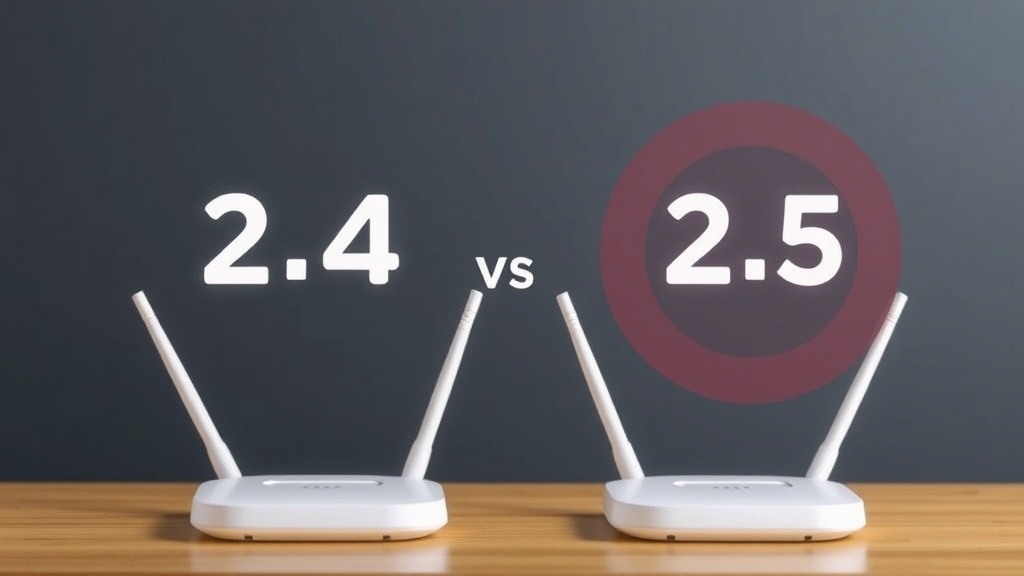
Have you ever wondered why your WiFi connection feels sluggish or inconsistent at times? The answer often lies in the choice between the two primary WiFi bands: 2.4 GHz and 5 GHz. When exploring telus 2.4 vs 5, many users seek to optimize their internet experience, but understanding the differences is key to making an informed decision. This article dives deep into the nuances of telus 2.4 vs 5, comparing their strengths and limitations to help you elevate your connectivity. Whether you’re streaming, gaming, or working from home, choosing the right WiFi band can make all the difference.
As technology advances, the debate around telus 2.4 vs 5 remains crucial for consumers aiming for faster, more reliable internet. This comprehensive guide breaks down the technical aspects, practical applications, and real-world scenarios—empowering you to select the perfect WiFi band for your needs. Let’s unravel the mysteries behind these frequencies and discover which one truly elevates your internet experience.
Understanding the Basics: telus 2.4 vs 5
What Are the 2.4 GHz and 5 GHz Bands?
The WiFi spectrum is divided primarily into two frequency bands: 2.4 GHz and 5 GHz. The 2.4 GHz band is the older, more widespread frequency, known for its longer range and better ability to penetrate walls and obstacles. Conversely, the 5 GHz band is newer, offering higher speeds and less interference but with a shorter coverage radius.
Understanding telus 2.4 vs 5 begins with recognizing that these bands serve different purposes. The 2.4 GHz band is ideal for devices that require broad coverage, while 5 GHz is better suited for high-bandwidth activities in a smaller area. The key is aligning your device needs with the characteristics of each band.
How Do These Bands Function in a Typical Home Network?
Most modern routers, including those provided by Telus, support dual-band functionality. This means they can broadcast both 2.4 GHz and 5 GHz signals simultaneously, allowing users to connect devices to the most suitable band based on their needs. For example, smart home devices like thermostats and security cameras often run on the 2.4 GHz band, whereas gaming consoles and streaming devices thrive on 5 GHz.
Decoding telus 2.4 vs 5 involves understanding that many users benefit from dual-band routers, which automatically assign devices to the appropriate band for optimal performance. However, manually selecting the right band can maximize your network’s efficiency.
Speed and Performance Comparison
How Do Speed and Throughput Differ?
One of the most significant distinctions in telus 2.4 vs 5 is speed. The 5 GHz band generally offers faster data transfer rates—up to 1-2 Gbps in ideal conditions—making it perfect for bandwidth-intensive tasks. Meanwhile, 2.4 GHz typically maxes out at around 600 Mbps, though actual speeds depend on various factors like interference and device capabilities.
For instance, streaming 4K videos or online gaming benefits immensely from the higher throughput of the 5 GHz band. Conversely, browsing the web or checking emails, which require less bandwidth, can comfortably operate on the 2.4 GHz band without noticeable lag.
Real-World Speed Tests and Scenarios
- Streaming in 4K: Using the telus 2.4 vs 5 comparison, streaming services like Netflix or Hulu perform better on the 5 GHz band, reducing buffering times.
- Online Gaming: High-speed, low-latency gaming sessions are best supported by 5 GHz, which offers stable, high-performance connectivity.
- Web Browsing and Smart Devices: These often work well on 2.4 GHz, which provides sufficient speed and better range.
In essence, understanding the speed differences helps you tailor your device connections, maximizing your internet’s potential. For heavy data tasks, prioritizing the 5 GHz band is advisable, especially if your router and devices support it.
Range and Coverage: telus 2.4 vs 5
How Far Does Each Band Reach?
The reality is that the 2.4 GHz band outperforms 5 GHz when it comes to coverage distance. Typically, 2.4 GHz signals can reach up to 150 feet indoors, penetrating walls and obstacles more effectively. On the other hand, 5 GHz signals tend to cover around 50-80 feet indoors with limited penetration.
This difference can be crucial in larger homes or spaces with multiple rooms. If your priority is maintaining a stable connection in a broad area, telus 2.4 vs 5 suggests that 2.4 GHz is your go-to choice for coverage.
Impact of Obstacles and Interference
- Walls and furniture: 2.4 GHz handles obstacles better, often maintaining connectivity where 5 GHz drops out.
- Interference: 2.4 GHz is more crowded due to numerous devices (Bluetooth, microwaves), which can impact stability. 5 GHz, being less congested, ensures cleaner signals for high-bandwidth activities.
- Example scenario: A user streaming on the second floor may experience better performance on 2.4 GHz, while nearby gaming consoles benefit from 5 GHz’s speed.
In conclusion, choosing between telus 2.4 vs 5 for coverage depends on your home’s layout and device placement. For extensive coverage, prioritizing 2.4 GHz makes sense; for speed, especially in close proximity, 5 GHz is superior.
Interference and Congestion
Dealing with Crowded Spectrums
One key aspect of telus 2.4 vs 5 is interference. The 2.4 GHz band is often crowded because many household devices such as cordless phones, Bluetooth gadgets, and microwave ovens operate on this frequency. This congestion can lead to reduced speeds and connection drops.
Research shows that the 5 GHz band experiences significantly less interference, especially in densely populated areas. This makes it a better choice for streaming or gaming when high reliability is needed.
Mitigating Interference for Better Performance
- Use dual-band routers that support both frequencies.
- Set your devices to connect to the less congested 5 GHz network when high speed is needed.
- Update your router’s firmware to optimize channel selection and reduce interference.
- Consider manually selecting channels to avoid crowded ones, especially on 2.4 GHz.
Ultimately, understanding the interference landscape is vital for telus 2.4 vs 5, ensuring you get the best possible performance for your specific environment.
Device Compatibility and Use Cases
Which Devices Benefit Most from Each Band?
Smartphones, tablets, and laptops increasingly support both bands, but some older devices may only connect to 2.4 GHz. For high-performance tasks, such as 4K streaming or online gaming, connecting to the 5 GHz band maximizes speed and stability.
Smart home devices, like thermostats and security cameras, often operate on 2.4 GHz due to its wider range and better obstacle penetration. However, newer smart devices may also support 5 GHz, providing faster data transfer.
Practical Use Cases for telus 2.4 vs 5
- Home Office: Use 2.4 GHz for general browsing and 5 GHz for video conferencing or large file uploads.
- Streaming & Gaming: Rely on 5 GHz for minimal lag and high-definition content.
- Smart Home: Connect smart devices to 2.4 GHz to ensure stable operation across the home.
Matching your device needs with the appropriate band enhances overall network efficiency. It’s worth noting that some routers, including Telus models, allow you to prioritize devices or set specific bands for different activities, optimizing your telus 2.4 vs 5 experience.

References and Resources
These resources provide valuable information about telus 2.4 vs 5. Check them out for additional insights:
Authoritative Sources on telus 2.4 vs 5
-
Federal Communications Commission (FCC)
Official guidelines on WiFi frequencies, interference, and best practices.Provides regulatory insights that help understand the technical differences between telus 2.4 vs 5.
-
Cisco Networking Tips
Expert advice on optimizing dual-band WiFi networks for performance.A detailed look into the benefits and limitations of each WiFi band, with practical setup tips.
-
TechRadar WiFi Guide
Up-to-date reviews and comparisons of WiFi routers supporting telus 2.4 vs 5.Insightful analysis for consumers seeking high-performance routers.
-
AnandTech WiFi Reviews
In-depth technical reviews on WiFi standards and device compatibility.Helps users understand the technical underpinnings of telus 2.4 vs 5.
-
Wired Magazine Tech Articles
Popular tech publication covering WiFi innovations and practical tips.Provides consumer-focused insights into WiFi band selection strategies.
-
Engadget WiFi Tech
Latest industry news on WiFi standards and router updates.Insightful for keeping up with emerging trends related to telus 2.4 vs 5.
-
PCMag WiFi Router Reviews
Expert reviews on the latest dual-band routers supporting telus 2.4 vs 5.Helpful for consumers choosing the right hardware for optimal WiFi performance.
Frequently Asked Questions
What is the main difference between telus 2.4 vs 5?
The primary difference lies in speed, range, and interference. The 2.4 GHz band offers broader coverage with lower speeds, while the 5 GHz band provides faster data rates but with a shorter range. Choosing the right depends on your usage needs and environment.
Which WiFi band is better for gaming: telus 2.4 vs 5?
For gaming, telus 2.4 vs 5 indicates that the 5 GHz band is preferable due to its higher speeds and lower latency. However, if your gaming device is far from the router or obstructed, 2.4 GHz may offer a more stable connection.
Can I use both bands simultaneously?
Yes, most modern routers, including Telus models, support dual-band operation. This allows devices to connect to either 2.4 GHz or 5 GHz automatically or manually, optimizing your network performance based on your activities.
How do I decide which band to connect my device to?
Consider the device’s purpose and placement. Use 5 GHz for high-speed tasks close to the router, and 2.4 GHz for devices farther away or that don’t require high bandwidth. Adjust your settings based on your environment for optimal performance.
Is telus 2.4 vs 5 relevant for smart home devices?
Absolutely. Many smart home devices operate on the 2.4 GHz band because of its wider coverage. However, if your smart device supports 5 GHz, connecting it here can improve data transfer speeds, especially for high-bandwidth devices like security cameras.
Conclusion
Understanding telus 2.4 vs 5 is essential for optimizing your home or office WiFi network. The choice between these bands influences speed, coverage, interference, and device compatibility. While 2.4 GHz provides better range and obstacle penetration, 5 GHz delivers faster speeds ideal for streaming, gaming, and high-bandwidth activities.
Ultimately, leveraging the strengths of both frequencies—especially with a dual-band router—can significantly elevate your internet experience. Whether you prioritize coverage or speed, knowing when and how to use each band ensures a seamless, reliable connection tailored to your needs. The key takeaway? Match your device and activity to the appropriate WiFi band for optimal performance, making telus 2.4 vs 5 a strategic choice that enhances your digital lifestyle.

Find out more information about “telus 2.4 vs 5”
Search for more resources and information: