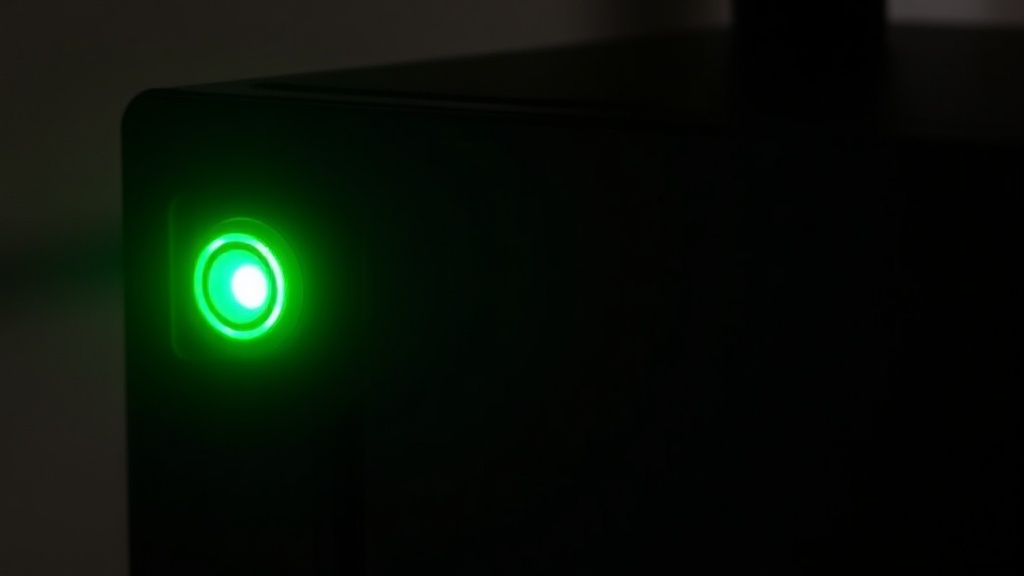
Troubleshooting Guide: What a Blinking Green Light on Your Telus Box Really Means and How to Resolve It
Understanding the Telus Box Flashing Green Light
Imagine this: you settle in for an evening of streaming your favorite shows, only to notice your Telus box displaying a blinking green light. This telus box flashing green light can be confusing, especially when you’re unsure whether it signifies progress or a problem. Many Telus users encounter this indicator and wonder what it means for their service.
The reality is, a blinking green light on your Telus box often signals activity—such as data transmission or firmware updates—but it can also point to connectivity issues or hardware malfunctions. Recognizing the nuances of this light pattern is essential for troubleshooting effectively. Whether you’re experiencing slow internet, intermittent service, or complete disconnection, understanding what a telus box flashing green light indicates is the first step to resolving the issue.
In this guide, we will explore the common causes behind a blinking green light, provide detailed troubleshooting steps, compare different light patterns and their meanings, and offer practical solutions to restore your service quickly and efficiently.
Common Causes of a telus box flashing green light
When your Telus box starts flashing green, several underlying factors could be at play. Identifying the root cause is crucial before attempting fixes. Here are some common reasons:
- Firmware Updates: Telus often pushes firmware updates to improve performance, which can cause the green light to blink during the process.
- Network Congestion or Outages: High traffic or service outages in your area may trigger the blinking green light as the device struggles to establish a stable connection.
- Signal Interference: Wireless interference from other devices, thick walls, or electronic appliances can disrupt signal transmission, leading to a blinking green light.
- Hardware Issues: Faulty cables, malfunctioning modems, or power supply problems can manifest as abnormal light patterns, including blinking green.
Understanding these causes can help you decide whether your device is updating normally or requires troubleshooting. For instance, if the blinking green light appears during a firmware update, patience may be all that’s needed. Conversely, if it persists beyond the typical update window, further action is warranted.
Step-by-Step Troubleshooting for a telus box flashing green light
Troubleshooting a blinking green light on your Telus box involves a systematic approach. Here’s a comprehensive process to diagnose and resolve common issues:
1. Check for Service Outages
– Visit the Telus service status page or contact customer support to verify if there is an outage in your area.
– If an outage is confirmed, wait until service is restored before attempting further troubleshooting.
2. Power Cycle Your Telus Box
– Turn off the device and unplug it from the power source.
– Wait for at least 30 seconds to allow residual power to dissipate.
– Plug it back in and turn it on.
– Observe the light pattern; a return to normal may resolve the blinking green issue.
3. Inspect Cables and Connections
– Confirm that all cables—Ethernet, coaxial, or HDMI—are securely connected.
– Replace any damaged or loose cables.
– For wireless setups, ensure your device is within optimal range and free from interference.
4. Reset Your Device
– Use the reset button or perform a factory reset if issues persist.
– Keep in mind this may erase custom settings, so note configurations beforehand.
– After reset, monitor the light pattern and connectivity.
5. Firmware Update Checks
– Sometimes, a blinking green light indicates ongoing firmware updates.
– Access your account portal or contact support to verify if an update is in progress.
– Avoid interrupting the update process to prevent potential device issues.
6. Contact Telus Support
– If none of the above steps resolve the problem, reach out to Telus customer service.
– Provide details about your device, the pattern of the blinking green light, and troubleshooting steps taken.
– Support may send a technician or offer further diagnostics.
Comparison of Light Patterns and Their Meanings
Understanding the different light patterns on your Telus box is invaluable. Here’s a quick comparison:
| Pattern | Color | Behavior | Meaning |
|---|---|---|---|
| Solid Green | Green | Stable | Normal operation, device is functioning properly |
| Flashing Green | Green | Intermittent blinking | Firmware updating, data activity, or minor connectivity issues |
| Solid Red | Red | Stable | Critical error or hardware failure |
| Flashing Red | Red | Intermittent blinking | Hardware malfunction or firmware corruption |
| Solid Amber/Yellow | Yellow | Stable | Warning of issues like signal strength or configuration problems |
Specifically, a telus box flashing green light typically indicates activity or a transitional state. Recognizing this pattern helps determine whether the device is updating, transmitting data, or encountering a problem that needs attention.
Additional Issues & How to Fix Them
Beyond the common causes, several other issues can cause your Telus box to display a telus box flashing green light. Here are some scenarios:
- Overheating: Excessive heat can impair hardware performance. Ensure your device is in a well-ventilated area.
- Software Conflicts: Conflicting network settings or third-party devices may interfere with your Telus box’s operation.
- Service Plan Limitations: Data caps or plan restrictions can sometimes cause connectivity issues reflected via light signals.
**Solutions include:**
– Moving the device to a cooler, ventilated space.
– Resetting network settings or reconfiguring your router.
– Upgrading your service plan if data limits are causing interruptions.
– Replacing faulty cables or hardware components.
In certain cases, replacing your modem or updating firmware through Telus support can resolve persistent telus box flashing green light issues. Consider comparing your device’s behavior with documentation or consulting a technician for complex problems.
References and Resources
These resources provide valuable information about telus box flashing green light. Check them out for additional insights:
Authoritative Sources on telus box flashing green light
-
Telus Support Center
Official Telus troubleshooting resources, including guides on light patterns and device resets.Provides step-by-step instructions for resolving blinking green lights and other common device issues.
-
CNET Tech Guides
Expert reviews and troubleshooting tips for internet modems and routers, including Telus devices.Offers practical advice for common blinking lights and hardware maintenance.
-
Tech Advisor – Modem Troubleshooting
In-depth articles on modem issues, firmware updates, and connectivity troubleshooting.Helps identify when to reset devices and how to interpret various light signals.
-
Consumer Reports
Reliable reviews and troubleshooting tips for internet hardware, including Telus models.Offers consumer-focused advice on resolving blinking green lights and device upgrades.

-
TechRadar
Technology news and troubleshooting guides for broadband devices.Provides insights into common hardware issues and solutions for blinking lights.
-
How-To Geek
User-friendly troubleshooting articles for internet and device issues.Step-by-step guides for solving blinking lights and connectivity problems.
Conclusion
A telus box flashing green light can be both a sign of normal activity and an indicator of underlying issues. Recognizing the pattern’s significance is essential for effective troubleshooting. Whether your device is updating, experiencing interference, or facing hardware problems, the steps outlined here equip you with the knowledge to diagnose and resolve common problems.
Understanding what a blinking green light means not only reduces frustration but also helps you maintain a reliable internet connection. If issues persist despite your efforts, don’t hesitate to contact Telus support—they have the tools and expertise to assist further. Remember, timely troubleshooting can save you hours of downtime and restore your connectivity swiftly.
Next time your Telus box displays that blinking green light, you’ll know exactly what it signifies and how to act. Keep this guide handy, and stay connected with confidence.

Find out more information about “telus box flashing green light”
Search for more resources and information: