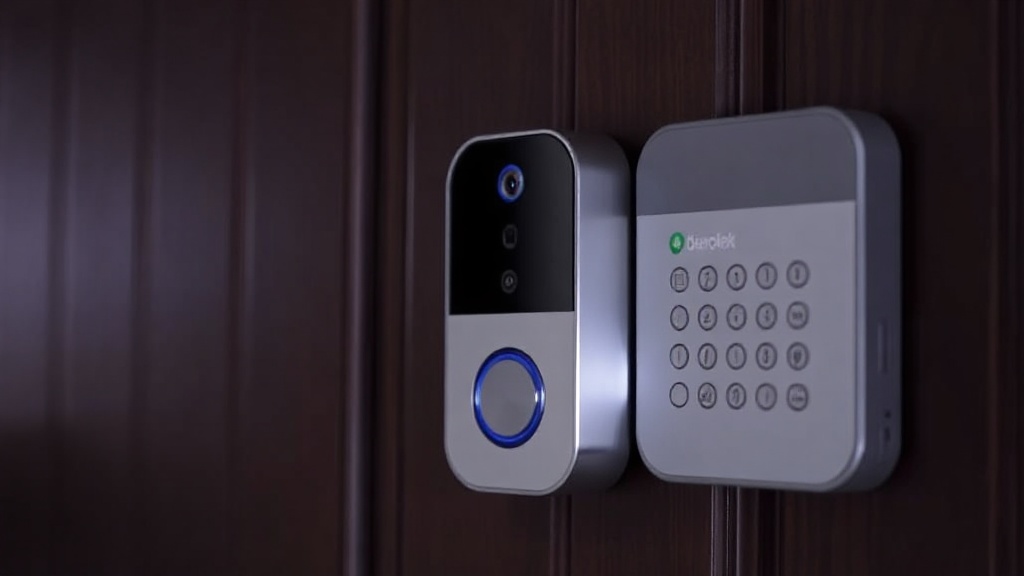
Why Your Telus Doorbell Camera Notifications Not Working Could Be Putting Your Home at Risk—and How to Fix It
Understanding Telus Doorbell Camera Notifications Not Working
Imagine you’re expecting a package or a visitor, but your Telus doorbell camera’s notifications fail to alert you. This scenario highlights a common frustration among users—the telus doorbell camera notifications not working issue. When notifications don’t function correctly, it not only hampers your home security but also leaves your property vulnerable to intruders or package thefts.
Many homeowners have reported that despite installing their Telus doorbell camera, they receive no alerts on their smartphones or devices. This problem can seem sudden or persistent, and understanding why it occurs is the first step toward resolution. The reality is, telus doorbell camera notifications not working can stem from a variety of technical glitches, user errors, or connectivity issues.
If you’re facing this challenge, you’re not alone. This comprehensive guide aims to shed light on the common causes, practical solutions, and preventative strategies to ensure your home remains protected with reliable notifications. Recognizing the importance of timely alerts, especially in emergencies, makes troubleshooting this issue a priority for every Telus doorbell owner.
Common Causes of telus doorbell camera notifications not working
Understanding what leads to notification failures is crucial. Here are some of the most common causes behind the telus doorbell camera notifications not working problem:
1. Connectivity Issues
Poor Wi-Fi or cellular data connection is often the root cause. If your doorbell isn’t connected properly, it can’t send alerts to your device. Network interruptions, weak signal strength, or router malfunctions can disrupt this process.
2. App Notification Settings
Sometimes, the issue lies with misconfigured app settings. If notifications are disabled within the Telus app or your device’s notification settings are turned off, alerts won’t appear.
3. Outdated Firmware or App Version
Running outdated firmware on your doorbell or an old app version can cause compatibility issues, leading to notification failures. Manufacturers often release updates to fix bugs and improve performance.
4. Permissions and Privacy Settings
Your device needs proper permissions to display notifications. If you’ve restricted app permissions or privacy settings, alerts may not reach you.
5. Battery or Power Issues
A low battery or power supply problems can cause the doorbell to malfunction, including failing to send notifications.
6. Server or Service Outages
Occasionally, Telus servers may experience outages or maintenance, temporarily disrupting notification delivery.
Step-by-step Fixes for telus doorbell camera notifications not working
Addressing the telus doorbell camera notifications not working issue involves systematic troubleshooting. Here’s a practical guide:
1. Check Your Network Connection
– Ensure your Wi-Fi or cellular data is active and stable.
– Restart your router to refresh the connection.
– Move your router closer to the doorbell if the signal is weak.
2. Verify Notification Settings
– Open the Telus app and navigate to settings.
– Confirm that notifications are enabled.
– Check your device’s notification permissions to ensure the app is allowed to send alerts.
3. Update Firmware and App
– Visit the Telus app store or device settings to check for updates.
– Update the app to the latest version.
– Check if your doorbell firmware is current; update if necessary.
4. Review Permissions and Privacy Settings
– On your smartphone, go to Settings > Apps > Telus app.
– Ensure notifications are enabled.
– Confirm location and microphone permissions, if applicable.
5. Power Cycle Your Devices
– Turn off your doorbell and wait a few seconds before turning it back on.
– Restart your smartphone.
– Reconnect the device to Wi-Fi and test notifications.
6. Check for Service Outages
– Visit Telus support pages or contact customer service to confirm if there’s a known outage affecting notifications.
– Wait until the outage is resolved if applicable.
7. Reset and Reconfigure
– As a last resort, perform a factory reset on your doorbell.
– Reinstall the device and set up notifications from scratch.
Preventative Measures to Ensure Notifications Work Properly
Prevention is always better than cure. To minimize the chances of facing telus doorbell camera notifications not working in the future, consider these proactive steps:
- Regularly update your app and device firmware to ensure compatibility and security.
- Check your Wi-Fi connection periodically and upgrade your router if needed.
- Enable all relevant notification permissions on your smartphone and within the app.
- Set up a backup power supply or battery for your doorbell to avoid outages during power interruptions.
- Test notifications monthly to verify that alerts are functioning correctly.
- Maintain a clear line of sight and strong Wi-Fi signal to your device to prevent connectivity issues.
- Subscribe to Telus service alerts to stay informed about server outages or maintenance schedules.
Implementing these strategies can significantly reduce the risk of missing critical alerts, thereby safeguarding your home more effectively. Remember, persistent issues with telus doorbell camera notifications not working should prompt a consultation with professional support.
References and Resources
These resources provide valuable information about telus doorbell camera notifications not working. Check them out for additional insights:
Authoritative Sources on telus doorbell camera notifications not working
-
Telus Support Center
telus.comOfficial troubleshooting guides and updates related to Telus devices, including notifications issues.
-
CNET Home Networking Tips
cnet.comExpert advice on device setup, firmware updates, and resolving connectivity issues.
-
TechCrunch Smart Home
techcrunch.comCoverage of the latest trends and troubleshooting strategies for smart home devices like doorbell cameras.
-
Consumer Reports
consumerreports.orgReviews and advice on home security devices, including troubleshooting notification issues.
-
How-To Geek
howtogeek.comPractical guides on device management, app permissions, and connectivity troubleshooting.

-
Digital Trends
digitaltrends.comLatest news on smart home tech and troubleshooting strategies to fix notification failures.
-
TechRadar
techradar.comGuides and reviews to help troubleshoot and optimize your smart home devices, including doorbell cameras.
-
Reddit Home Automation Community
reddit.comReal-world user experiences and troubleshooting tips shared by home automation enthusiasts.
Conclusion
The issue of telus doorbell camera notifications not working can significantly compromise your home security and peace of mind. By understanding common causes—from connectivity problems to app misconfigurations—you can take targeted steps to resolve the problem effectively. Regular maintenance, updates, and testing are key to ensuring your notifications function reliably, providing timely alerts that keep your home safe.
Remember, if troubleshooting doesn’t resolve telus doorbell camera notifications not working, reaching out to professional support channels is advisable. Staying proactive will help you avoid potential security gaps and ensure your smart home technology works seamlessly when you need it most.

Find out more information about “telus doorbell camera notifications not working”
Search for more resources and information: