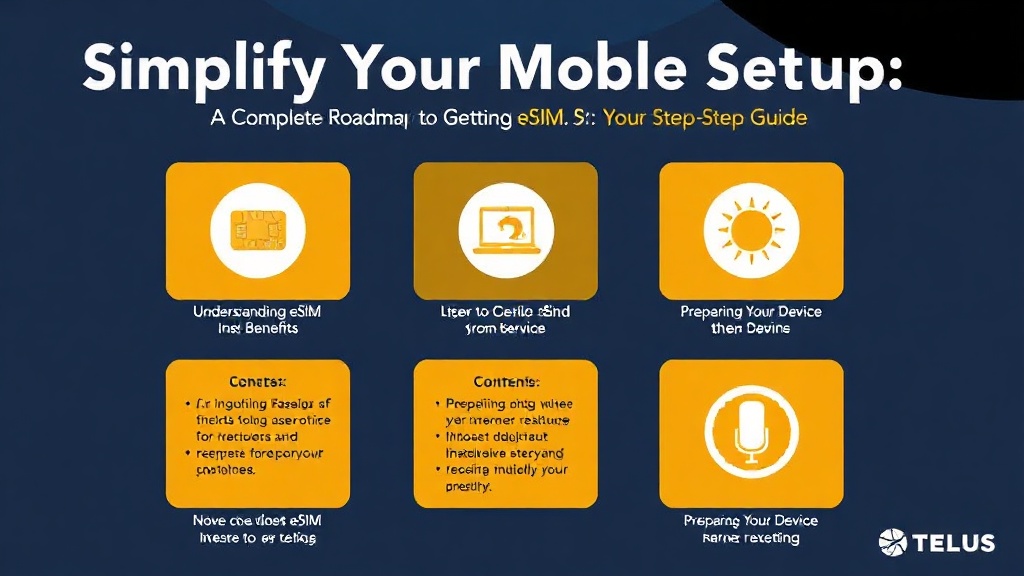
Simplify Your Mobile Setup: A Complete Roadmap to Getting eSIM from Telus
Understanding eSIM and Its Benefits
The world of mobile connectivity is evolving rapidly, and eSIM technology is at the forefront of this transformation. If you’re wondering how to get esim from telus, understanding what an eSIM is can make the process much clearer. An eSIM (embedded SIM) is a digital SIM that allows you to activate a cellular plan without using a physical SIM card. This innovation offers unparalleled convenience, especially for travelers, device switchers, and those seeking a clutter-free setup.
Unlike traditional SIM cards, which require physical handling and sometimes visiting a store, eSIMs are embedded directly into your device’s hardware. This means you can switch carriers or plans digitally, often in just a few minutes. Moreover, eSIMs support multiple profiles, enabling users to have different numbers or plans on a single device. This flexibility opens the door to more dynamic and personalized mobile experiences.
If you’re eager to simplify your mobile setup, knowing how to get esim from telus is a crucial first step. Telus has embraced eSIM technology, making it accessible for most compatible devices. Below, we’ll walk you through the entire process and provide practical tips for a smooth transition.
How to Get eSIM from Telus: Your Step-by-Step Guide
Getting an eSIM from Telus is a straightforward process that can be completed in a few simple steps, whether you’re a new customer or an existing one. For those asking how to get esim from telus, the journey is designed to be user-friendly and accessible.
Step 1: Check Device Compatibility
Before diving into the process, ensure your device supports eSIM technology. Most recent smartphones, including iPhone 12 and later, Google Pixel 3 and above, and some Samsung Galaxy models, are compatible. You can verify this by visiting Telus’s official website or your device manufacturer’s specifications.
Step 2: Choose Your Plan
Decide whether you want a new plan or to convert an existing one. Many Telus plans now support eSIM activation, but confirming this beforehand saves time. If unsure, contact Telus customer support or visit their online store.
Step 3: Initiate the eSIM Activation Process
– **Online Activation:**
– Log into your Telus account through their website or mobile app.
– Navigate to the “Manage Devices” or “Activate eSIM” section.
– Select the device you wish to activate with an eSIM.
– Follow prompts to generate an eSIM QR code.
– **In-Store Activation:**
– Visit a Telus store or authorized retailer.
– Bring your device and identification.
– Request an eSIM plan, and the staff will assist with activation.
– **Customer Support:**
– Call Telus customer service and request how to get esim from telus.
– They can send you a QR code via email or provide a manual activation code.
Step 4: Scan the QR Code and Activate
Once you have the QR code:
– Open your device’s Settings > Cellular or Mobile Data.
– Tap on “Add Cellular Plan.”
– Scan the QR code provided by Telus.
– Follow on-screen instructions to complete activation.
**Pro tip:** Keep your device connected to Wi-Fi during this process to ensure smooth activation.
Preparing Your Device for eSIM Activation
Proper preparation can make how to get esim from telus a seamless experience. Here are some essential steps:
Check Device Compatibility
As mentioned earlier, compatibility is key. Devices must support eSIM technology, which is standard in most flagship smartphones today.
Update Your Software
Ensure your device’s operating system is up-to-date. Manufacturers often release updates that improve eSIM functionality and security.
Backup Your Data
While activation usually doesn’t affect your data, backing up your device beforehand is a good practice, especially if you plan to switch devices or reset settings.
Gather Necessary Information
– Your Telus account details
– Any existing SIM card information (if switching from a physical SIM)
– Device IMEI number (found in Settings or on the device box)
Review Your Plan Details
Confirm your plan supports eSIM activation. Some legacy plans or devices may require special handling.
Troubleshooting Common eSIM Activation Issues
Even with careful preparation, issues can sometimes arise during eSIM activation. Here are some common problems and solutions:
Problem: QR Code Not Scanning
– Ensure your camera lens is clean.
– Adjust lighting conditions.
– Use the latest version of your device’s camera app.
Problem: Activation Fails or Error Messages
– Confirm device compatibility.
– Verify your device has the latest software update.
– Restart your device and try again.
Problem: Unable to Receive Activation Email or QR Code
– Check spam or junk folders.
– Confirm your email address with Telus.
– Contact Telus support for manual activation options.
Additional Tips:
– Use a stable Wi-Fi connection during activation.
– Ensure your account is in good standing.
– If persistent issues occur, visit a Telus store or call support for personalized assistance.
For those pondering how to get esim from telus and encountering hurdles, reaching out directly to Telus support is often the fastest route.
Comparing Traditional SIM Cards and eSIM
Understanding the differences between traditional SIM cards and eSIMs can help you evaluate the benefits of switching to eSIM technology.
- Physical vs. Digital: Traditional SIMs require physical insertion, while eSIMs are embedded and activated digitally.
- Convenience: eSIMs enable instant switching plans or carriers without visiting a store or waiting for a new SIM card.
- Device Compatibility: Not all devices support eSIMs yet, but most recent models do.
- Space Saving: eSIMs free up space inside devices, allowing for slimmer designs or additional features.
- Multiple Profiles: eSIMs can store multiple plans, making travel or dual-line management easier.
For users asking how to get esim from telus, the transition offers significant flexibility and future-proofing.
Additional Resources and Support
If you want to deepen your understanding or need technical support, several authoritative resources are available:
Authoritative Sources on how to get esim from telus
-
Telus Official eSIM Activation Guide
telus.comStep-by-step instructions directly from Telus, including device-specific guidance and troubleshooting tips for how to get esim from telus.
-
Apple Support: Using eSIM
apple.comOfficial guide for iPhone users on activating and managing eSIM profiles, useful for those asking how to get esim from telus compatible devices.
-
Google Fi eSIM Solutions
developers.google.comTechnical insights into eSIM management, beneficial for tech-savvy users exploring how to get esim from telus or similar providers.
References and Resources
These resources provide valuable information about how to get esim from telus. Check them out for additional insights:
Authoritative Sources on how to get esim from telus
-
Telus eSIM Activation Guide
telus.comOfficial instructions on how to activate eSIMs with Telus, including troubleshooting and device compatibility.

-
Apple Support: eSIM Activation
apple.comOfficial resource for iPhone users on eSIM setup, valuable for those exploring how to get esim from telus.
-
Google Fi eSIM Activation
google.comGuidance for Android users and tech enthusiasts on managing eSIM profiles, pertinent to how to get esim from telus.
Conclusion
Understanding how to get esim from telus is transforming the way users manage their mobile plans. With the convenience of eSIM technology, you can switch carriers, activate new plans, or travel internationally without the hassle of physical SIM cards. Telus has made this process accessible, provided your device supports eSIM, and you follow the outlined steps.
The key takeaway is that transitioning to an eSIM from Telus is straightforward when you know the proper process—from verifying device compatibility to scanning QR codes and troubleshooting common issues. Whether you’re a seasoned tech user or new to eSIMs, mastering how to get esim from telus empowers you to enjoy seamless, flexible connectivity.
Now that you have the roadmap, take the next step: check your device compatibility, explore your plan options, and initiate your eSIM activation today. The future of mobile connectivity is here—embrace it with confidence.

Find out more information about “how to get esim from telus”
Search for more resources and information: