Why Your Telus Modem Turns Green but Internet Remains Down—and How to Fix It
Understanding the Telus Modem Green Light but No Internet
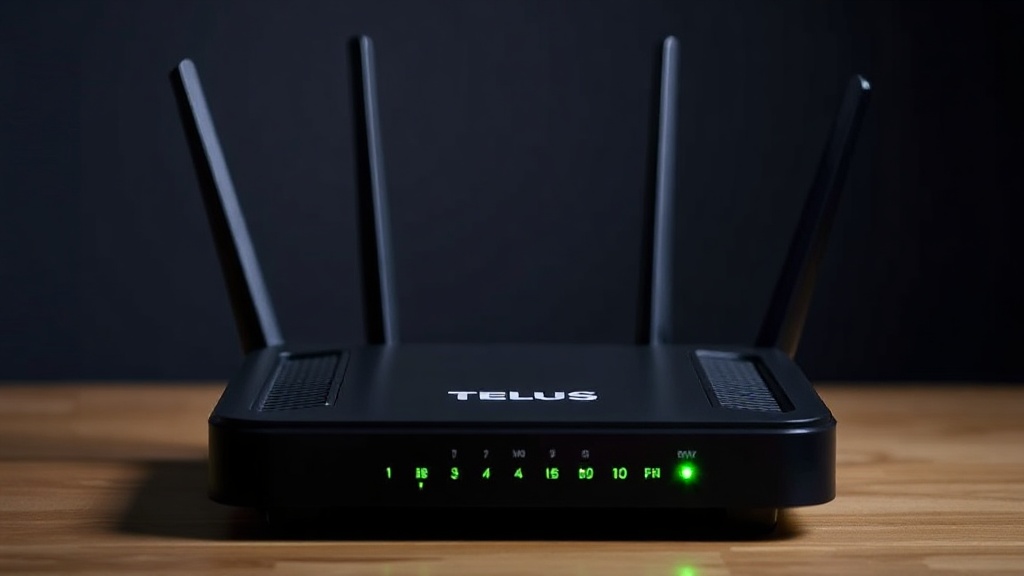
Few things are more frustrating than seeing your telus modem green but no internet. The green light typically indicates that your modem has established a connection to the network, yet the internet remains inaccessible. This incongruity can leave users puzzled: why does the modem appear healthy while browsing or streaming remains impossible?
The reality is that a green light on your Telus modem signifies that the device is connected to the network infrastructure, but it doesn’t guarantee that your internet service is functioning correctly. Understanding this distinction is crucial for troubleshooting effectively. This article will explore the common causes behind this issue and provide step-by-step fixes to get your internet back online swiftly.
For those experiencing the telus modem green but no internet, knowing what the indicators mean helps narrow down potential problems. Sometimes, the problem lies with the physical connection, while other times, it’s related to network configurations or service outages. Let’s delve into the common causes and how you can address them.
Common Causes of a Telus Modem Turning Green but No Internet
The phenomenon of a telus modem green but no internet can stem from several underlying issues. Recognizing these causes can save time and frustration when troubleshooting:
1. Network Outages or Service Disruptions
Sometimes, the problem isn’t on your end. Telus, like other providers, occasionally experiences outages due to maintenance or unexpected disruptions. During these times, your modem might display a green light, indicating a connection to the network, but the broader service is unavailable.
2. Incorrect Router or Modem Settings
Misconfigured settings—such as incorrect PPPoE credentials, IP configurations, or DNS settings—can prevent your device from establishing a proper internet connection despite the modem’s status light showing active.
3. Faulty Hardware or Cables
Physical issues, including damaged Ethernet cables, loose connections, or a malfunctioning modem, can cause the telus modem green but no internet. Even if the light appears normal, hardware faults can impede data transmission.
4. Firmware or Software Glitches
Outdated or corrupted firmware can interfere with your modem’s ability to process internet traffic correctly. Sometimes, a simple reboot resets the device and clears temporary glitches.
5. IP Address Conflicts or Network Overload
In some cases, IP conflicts or a saturated network can hinder your connection. When multiple devices compete for bandwidth or have conflicting IP addresses, the modem may appear online but fail to deliver internet access.
6. Account or Service Activation Issues
New installations or account updates might not have been fully activated or propagated through the network, resulting in a telus modem green but no internet situation.
Step-by-Step Solutions for Resolving telus modem green but no internet
Addressing the telus modem green but no internet situation involves systematic troubleshooting. Here are practical steps to restore your connection:
1. Verify Service Status
– Check Telus’s official service status page or contact customer support to confirm if there’s an outage in your area.
– If an outage is confirmed, the best course is to wait until service is restored.
2. Restart Your Modem and Router
– Power off your modem and router.
– Wait for 30 seconds to 1 minute.
– Power them back on and observe the lights.
– Sometimes, a simple reboot can resolve temporary glitches causing the discrepancy between the modem light and internet connectivity.
3. Check Physical Connections
– Ensure all cables are securely plugged in.
– Replace any frayed or damaged Ethernet or coaxial cables.
– Confirm that the modem is connected to the correct wall outlet.
4. Access Your Modem’s Web Interface
– Log into your modem’s admin panel (usually via http://192.168.1.1).
– Check the status for any error messages or misconfigurations.
– Confirm that your connection settings match the ones provided by Telus.
5. Update Firmware
– Navigate to your modem’s firmware update section.
– Download and install the latest firmware if available.
– Firmware updates often fix bugs that could cause connectivity issues.
6. Reset Network Settings
– Reset your modem to factory settings if other steps fail.
– Reconfigure your network settings according to Telus instructions.
– Be aware that this may erase custom settings, so note them beforehand.
7. Contact Telus Support
– If all else fails, reach out to Telus customer support.
– Provide details about your issue, the status lights, and troubleshooting steps you’ve tried.
– They might need to reset your connection remotely or send a technician.
Preventative Measures to Avoid Future Issues
Preventing a telus modem green but no internet situation involves proactive steps. Consider these tips:
– Regularly update your modem firmware to ensure optimal performance.
– Use high-quality cables and secure connections.
– Avoid overloading your network by managing connected devices.
– Schedule periodic reboots of your modem/router.
– Keep your account information up to date with Telus.
– Enable network monitoring tools if available to detect issues early.
– Consider setting up a backup connection, such as a secondary internet provider, for critical needs.
– Stay informed about maintenance schedules from Telus to anticipate outages.
These practices help maintain a stable connection and reduce the chances of encountering a telus modem green but no internet issue unexpectedly.
References and Resources
These resources provide valuable information about telus modem green but no internet. Check them out for additional insights:
Authoritative Sources on telus modem green but no internet
-
Telus Support – Internet Connection Issues
telus.comOfficial troubleshooting guide for resolving connection problems, including telus modem green but no internet scenarios.
-
CNET – How to Fix Telus Internet Problems
cnet.comPractical tips and step-by-step solutions for common Telus internet connectivity issues, including telus modem green but no internet.
-
Tech Support Forum – Telus Connection Problems
techsupportforum.comCommunity-driven discussions on troubleshooting telus modem green but no internet issues.
-
Consumer Reports – Telus Internet Review
consumerreports.orgInsight into service reliability and common issues like telus modem green but no internet.
-
Reddit – Telus Community Support
reddit.comReal user experiences and troubleshooting advice for resolving persistent telus modem green but no internet issues.
-
BroadbandNow – Telus Internet Plans & Support
broadbandnow.comOverview of Telus services and troubleshooting resources for connectivity issues.
-
Tech Advisor – Internet Troubleshooting
techadvisor.comGeneral advice on resolving modem and network issues, applicable to Telus customers facing telus modem green but no internet.
Frequently Asked Questions
Frequently Asked Questions
What does it mean if my Telus modem is green but I have no internet?
A green light on your Telus modem indicates a successful connection to the network, but if you have no internet access, it suggests an issue beyond physical connectivity. Possible causes include service outages, misconfigurations, or hardware problems. Troubleshooting steps involve checking service status, rebooting devices, and verifying settings.

How can I fix a telus modem green but no internet problem myself?
Start by rebooting your modem and router, then check physical connections. If issues persist, access your modem’s admin panel to verify configuration settings and update firmware. If none of these steps resolve the problem, contact Telus support for assistance.
What are some common causes of the telus modem green but no internet issue?
Common causes include network outages, incorrect modem settings, faulty hardware or cables, firmware glitches, IP conflicts, and account activation problems. Identifying the root cause helps determine the appropriate solution.
Should I call Telus support if my telus modem green but no internet persists?
Yes. If you’ve tried basic troubleshooting like rebooting and checking connections without success, contacting Telus support is advisable. They can diagnose issues remotely or dispatch a technician if necessary.
Can firmware updates fix the telus modem green but no internet issue?
Updating your modem’s firmware can resolve bugs that cause connectivity problems, including situations where the telus modem green but no internet. Always ensure your device is running the latest firmware version.
Conclusion
Encountering a telus modem green but no internet can be perplexing, but understanding the underlying causes simplifies troubleshooting. The key is to recognize that the green light signifies a connection, yet the absence of internet points to other issues such as network outages, configuration errors, or hardware faults.
By following the step-by-step solutions outlined above, most users can resolve the problem quickly and regain their internet service. Regular maintenance and proactive measures are also essential to prevent recurring issues. Remember, when in doubt, reaching out to Telus support ensures you receive expert assistance tailored to your specific situation.
Ultimately, knowing how to handle a telus modem green but no internet situation empowers you to troubleshoot effectively and minimizes downtime. Keep these tips in mind, and you’ll be better prepared to tackle similar issues in the future.

Find out more information about “telus modem green but no internet”
Search for more resources and information: