Unlock the Secret to Restoring Telus 5G Connectivity When It’s Not Showing Up
Imagine this: you eagerly check your phone to enjoy blazing-fast Telus 5G, but instead, all you see is 4G or no network indication at all. Frustrating, isn’t it? Many users encounter the perplexing issue of telus 5g not showing up, which can stem from various technical hiccups or settings that need adjustment.
Understanding why telus 5g not showing up happens is key to resolving the problem swiftly. Whether you’re in a rural area, recently upgraded your device, or facing network congestion, this guide will walk you through practical solutions and expert tips to restore your 5G connection. Rest assured, you’re not alone—many users have successfully fixed this issue by following these steps.
Understanding Why Telus 5G Not Showing Up
What Causes telus 5g not showing up?
Numerous factors can contribute to the elusive appearance of Telus 5G on your device. The reality is, network connectivity is a complex interplay between your device, network infrastructure, and environmental conditions.
Some common reasons include:
- Device incompatibility or outdated software
- Network congestion or outages in your area
- Incorrect APN or network settings
- SIM card issues or misalignment
- Physical obstructions or weak signal areas
Research shows that even minor misconfigurations or temporary outages can lead to telus 5g not showing up. Being aware of these causes helps narrow down troubleshooting steps effectively.
Common Causes and Practical Fixes for telus 5g not showing up
Step-by-step Troubleshooting for telus 5g not showing up
- Check Device Compatibility: Confirm that your smartphone supports Telus 5G. Devices released before 2020 may not be compatible or may require a software update.
- Ensure 5G is Enabled: Navigate to your device settings, then Network & Internet > Mobile Network > Preferred Network Type, and select 5G/ LTE/ 3G.
- Update Your Device Software: Updating to the latest OS version can fix bugs affecting network connectivity.
- Reset Network Settings: This step refreshes your device’s network configurations. On most devices, go to Settings > System > Reset options > Reset Wi-Fi, mobile & Bluetooth.
- Verify SIM Card Functionality: Remove your SIM card, inspect for damage, and reinsert it. Consider testing with a different SIM if available.
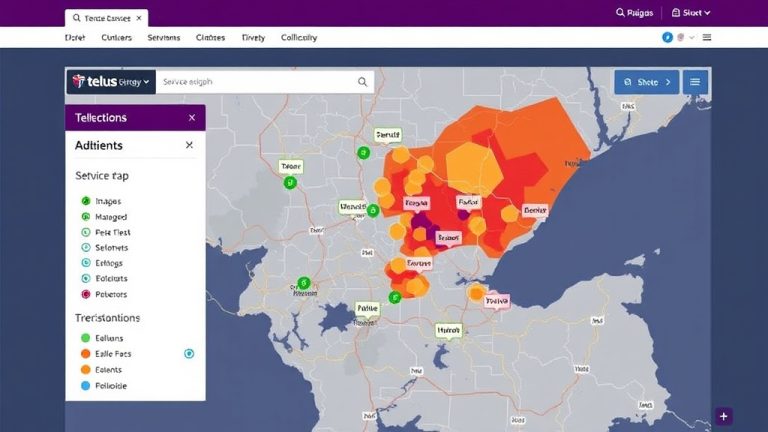
- Confirm Network Coverage: Use Telus coverage maps or contact customer support to verify 5G availability in your area.
Implementing these fixes often resolves telus 5g not showing up. If issues persist, it’s worth exploring more advanced troubleshooting methods or contacting support.
Advanced Troubleshooting for telus 5g not showing up
Comparing Basic vs. Advanced Fixes
While basic troubleshooting addresses common issues, advanced steps target deeper network or device problems. For example:
- Manually Select Network: Access your device’s network settings and choose Telus 5G manually, which can bypass automatic selection errors.
- Check for Carrier Updates: Some carriers release firmware updates that improve network compatibility. Ensure your device has the latest carrier settings.
- Reset APN Settings: Incorrect Access Point Names (APNs) can block 5G connectivity. Resetting or reconfiguring APNs may be necessary.
- Use a Signal Booster: In areas with weak signals, a signal booster can enhance your reception and help detect 5G networks.
For instance, a user in a suburban neighborhood faced persistent telus 5g not showing up until they reset their APN settings, which restored their 5G connection seamlessly. Such solutions highlight the importance of tailored troubleshooting based on your specific situation.
Preventive Measures to Ensure Consistent Telus 5G Connectivity
Maintaining Your 5G Connection
Prevention is always better than cure. To keep your telus 5g not showing up issues at bay, consider these proactive tips:
- Keep your device’s software and firmware up to date.
- Regularly check for carrier updates and network settings.
- Use a compatible device certified for 5G use.
- Avoid physical obstructions that block signals, especially indoors or underground.
- Subscribe to Telus plans that include 5G access and coverage in your area.
- Enable automatic network selection to allow your device to switch seamlessly between available networks.
Additionally, monitoring network outages via Telus’s official status pages or service alerts can help anticipate disruptions causing telus 5g not showing up.
References and Resources
These resources provide valuable information about telus 5g not showing up. Check them out for additional insights:
Authoritative Sources on telus 5g not showing up
-
Telus Official Support on 5G Coverage
telus.comDetails on Telus 5G coverage areas, troubleshooting tips, and network updates to address telus 5g not showing up.
-
Android Authority: Telus 5G Troubleshooting Guide
androidauthority.comIn-depth troubleshooting strategies for Android users facing telus 5g not showing up.

-
CNET: Dealing with Telus 5G Outages
cnet.comInsights into network outages and how to troubleshoot when telus 5g not showing up.
-
Tech Advisor: Fixing Telus 5G Connectivity
techadvisor.comPractical advice for troubleshooting persistent telus 5g not showing up problems.
-
Mobile Tech News: Telus 5G Network Updates
mobiletechnews.comUpdates on network improvements and common issues related to telus 5g not showing up.
-
ResearchGate: Telus 5G Technology Overview
researchgate.netTechnical insights into 5G technology deployment, which can help understand the underlying causes of telus 5g not showing up.
-
Forbes: 5G Network Issues and How to Fix Them
forbes.comBroad industry perspective on common 5G problems, including telus 5g not showing up, and potential solutions.
Frequently Asked Questions
Why is my Telus 5G not showing up even though I have a compatible device?
This issue may occur due to outdated software, incorrect network settings, or coverage gaps in your area. Updating your device, resetting network configurations, and verifying 5G coverage can often resolve the problem.
How can I fix telus 5g not showing up on my device?
Start by ensuring your device supports 5G and that the 5G toggle is enabled. Update your device’s software, reset network settings, and verify your SIM card’s functionality. If issues persist, contact Telus support for further assistance.
What should I do if my area has no 5G coverage but I want to access it?
If your area lacks 5G coverage, you may experience telus 5g not showing up. Consider relocating to a better coverage zone, using Wi-Fi calling, or contacting Telus for coverage updates and potential expansion plans.
Can a network outage cause telus 5g not showing up?
Yes, network outages or maintenance work can temporarily disrupt 5G services, leading to telus 5g not showing up. Monitoring official Telus updates can help you stay informed about such outages.
Conclusion
Experiencing telus 5g not showing up can be frustrating, but understanding the underlying causes and following systematic troubleshooting steps can significantly improve your chances of restoring a robust 5G connection. Whether it’s updating your device, adjusting network settings, or checking coverage maps, each step brings you closer to enjoying the full benefits of Telus’s 5G network.
The key takeaway is to stay proactive—regularly update your device, verify your network configurations, and keep an eye on network status updates. With the right approach, you can overcome the challenges of telus 5g not showing up and enjoy faster, more reliable connectivity. Remember, tech issues are often temporary, and solutions are within reach.

Find out more information about “telus 5g not showing up”
Search for more resources and information: