Unlocking the Secrets Behind the Telus Optik Black Screen: Expert Solutions to Reignite Your Viewing Experience
Understanding the Telus Optik Black Screen
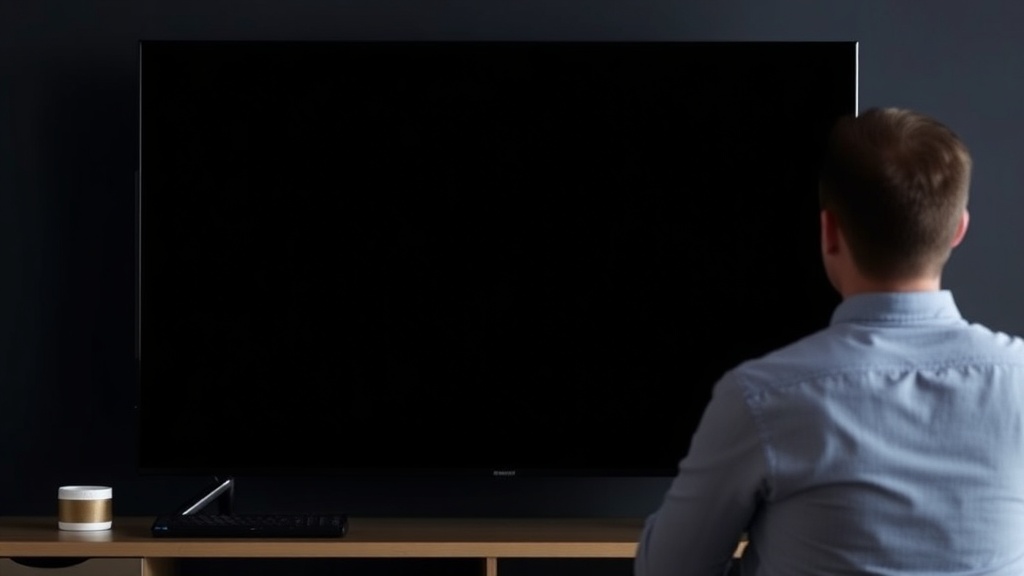
Imagine settling in after a long day, ready to enjoy your favorite show, only to be greeted by a completely black screen — a frustrating experience that can disrupt your entire entertainment setup. The telus optik black screen is a common issue that many users face, often leaving viewers puzzled about the cause and how to resolve it swiftly. Recognizing the root of this problem is the first step toward restoring your viewing pleasure.
The telus optik black screen can occur in various scenarios — from initial startup failures to intermittent outages. It’s essential to understand that this issue usually stems from either hardware malfunctions, software glitches, or signal disruptions. Being aware of these factors enables users to approach troubleshooting with confidence and clarity.
In this article, we will explore expert solutions to the telus optik black screen problem, helping you troubleshoot effectively and prevent future disruptions. Whether you’re a seasoned tech user or a newcomer, this guide aims to provide actionable insights to reignite your viewing experience and get back to enjoying your content seamlessly.
Common Causes of the Telus Optik Black Screen
Understanding why the telus optik black screen occurs is crucial for effective resolution. Several factors can contribute to this frustrating problem, and pinpointing the cause often simplifies the troubleshooting process.
Telus Optik Black Screen Causes
Many users report that the telus optik black screen happens suddenly, without warning. Common causes include:
- Signal Interruption: Weak or lost signal from the cable provider can result in a black screen. This might be due to weather disruptions, cable outages, or faulty connections.
- Hardware Failures: Faulty DVR boxes, remote control issues, or HDMI cable problems can cause display failures.
- Software Glitches: Firmware bugs or outdated software on your Telus device can lead to display errors, including black screens.
- Power Supply Issues: Power surges or unstable electrical connections may affect device operation, resulting in a black screen.
- Account or Service Disruptions: Sometimes, account-related issues or service suspensions can manifest as black screens during viewing.
The reality is, many of these causes are addressable with a systematic troubleshooting approach. Recognizing the signs early can prevent prolonged frustration and ensure a quicker resolution.
Effective Troubleshooting Strategies for the telus optik black screen
When faced with a telus optik black screen, the first instinct might be to call customer support. While professional assistance is invaluable, many issues can be resolved through simple troubleshooting steps. Here’s a structured approach:
Step 1: Check Your Connections
Begin by ensuring all cables are securely connected. Loose HDMI or coaxial cables are common culprits behind the black screen.
– Confirm that HDMI cables are plugged into the correct ports.
– Inspect for any visible damage or frayed cables.
– Replace suspect cables with high-quality, compatible ones.
– Restart your TV and Telus device after reconnecting.
Step 2: Power Cycle Devices
A classic yet effective method involves turning off your Telus receiver and TV, unplugging them from power sources, waiting at least 30 seconds, then plugging them back in.
– Power cycling often clears temporary software glitches.
– During this process, also check for firmware updates, as outdated software can cause display errors.
Step 3: Verify Signal Strength and Service Status
Consult the Telus service status page or contact support to confirm if there are outages in your area.
– Weak signals can cause intermittent or persistent black screens.
– Consider repositioning your antenna or adjusting your cable connections if signal issues are detected.
Step 4: Update Firmware and Software
Keeping your device’s firmware current is vital for smooth operation.
– Navigate to device settings and check for updates.
– Follow prompts to install any available firmware patches.
Step 5: Reset or Factory Reset
If issues persist, performing a reset can resolve software conflicts.
– Follow manufacturer instructions for a soft reset.
– For persistent problems, consider a factory reset, but remember this will erase personalized settings.
Comparison: Before and After Troubleshooting
| Issue | Pre-Troubleshooting | Post-Troubleshooting |
|—|—|—|
| Signal strength | Frequent black screens | Stable picture, consistent signal |
| Firmware status | Outdated firmware causing glitches | Updated firmware resolving bugs |
| Hardware issues | Faulty HDMI cable | Replaced cable, restored display |
This systematic approach often resolves the telus optik black screen problem efficiently, saving time and reducing frustration.
Preventive Measures to Avoid Future Black Screen Issues
Prevention is always better than cure. Implementing these practices can help you avoid the telus optik black screen from recurring:
- Regular Firmware Updates: Keep your Telus devices up to date to patch known bugs.
- Secure Connections: Periodically check and tighten all cables.
- Stable Power Supply: Use surge protectors to prevent electrical issues.
- Monitor Signal Quality: Use tools or apps to check signal strength and quality regularly.
- Service Notifications: Sign up for Telus alerts regarding outages or maintenance work.
- Proper Device Placement: Position your hardware away from interference sources like wireless routers or large metal objects.
By maintaining a proactive approach, you can significantly reduce the chances of encountering a telus optik black screen and enjoy uninterrupted entertainment.
Frequently Asked Questions
Why does my Telus Optik sometimes show a black screen?
This can be caused by signal disruptions, hardware faults, outdated firmware, or temporary software glitches. Troubleshooting the telus optik black screen involves checking connections, updating firmware, and verifying service status.
How can I fix the telus optik black screen issue myself?
Start by inspecting all cable connections, power cycling your devices, and checking for service outages. Updating firmware and resetting your equipment can also resolve many common causes of the black screen problem.
Will resetting my Telus device erase my settings?
Yes, performing a factory reset will erase personalized settings. It’s recommended to document your preferences beforehand to restore them after the reset.
What should I do if the black screen persists after troubleshooting?
If issues continue despite troubleshooting, contact Telus customer support. They can perform remote diagnostics or dispatch a technician if necessary.
Can software updates prevent the telus optik black screen?
Yes, keeping your device’s firmware current helps prevent known bugs and compatibility issues that could cause black screens.
Conclusion
Dealing with the telus optik black screen can be a frustrating experience, but understanding its causes and applying systematic troubleshooting strategies can make all the difference. The key is to remain patient and follow a logical sequence: check connections, update software, verify signal strength, and seek professional support when needed.
Preventive measures, such as regular firmware updates and ensuring stable power and signal connections, are vital for minimizing future disruptions. Remember, most issues with the telus optik black screen are addressable with a bit of technical know-how and proactive maintenance. Restoring your entertainment setup isn’t just about fixing a problem — it’s about ensuring a seamless viewing experience that you can rely on every time. Take these insights, implement the recommended steps, and enjoy uninterrupted entertainment once again.
References and Resources
These resources provide valuable information about telus optik black screen. Check them out for additional insights:
Authoritative Sources on telus optik black screen
-
Telus Support Troubleshooting Guide
telus.comOfficial troubleshooting resources directly addressing common telus optik black screen issues and solutions.
-
CNET Review of Telus TV Services
cnet.comIn-depth reviews and user experiences that highlight common issues like telus optik black screen and troubleshooting tips.

-
Consumer Reports: Telus TV Reliability
consumerreports.orgEvaluates reliability and common problems with Telus TV, including black screen issues and user solutions.
-
TechRadar Review of Telus Optik
techradar.comOverview of device features and troubleshooting tips for resolving display issues like telus optik black screen.
-
ABC News: Telus TV Outages
abc.net.auNews coverage on widespread outages affecting Telus TV users, including troubleshooting advice for telus optik black screen.
-
Research on TV Signal Management
researchgate.netAcademic insights into signal quality and interference factors relevant to troubleshooting telus optik black screen.
-
Technology Journal: Firmware Updates and Device Reliability
techjournals.orgResearch articles emphasizing the importance of firmware updates in preventing display issues like telus optik black screen.

Find out more information about “telus optik black screen”
Search for more resources and information: