How to Bring Your Telus Optik TV Back to Life When You Encounter No Picture Issue
Understanding the telus optik tv no picture Problem
Experiencing a telus optik tv no picture can be incredibly frustrating, especially when you rely on your television for entertainment, news, or work. This issue often manifests as a blank screen despite the TV being powered on, or sometimes a frozen or distorted picture. Recognizing the root causes is crucial to resolving the problem quickly and effectively.
Many users ask, “What causes telus optik tv no picture?” The reality is that multiple factors—from signal issues to hardware malfunctions—can contribute. The good news? Most problems are fixable with some basic troubleshooting steps. Whether your screen is entirely black or showing partial display, understanding the underlying cause can help you restore your TV’s picture without unnecessary delays.
In this article, we’ll explore comprehensive solutions for telus optik tv no picture, guiding you through troubleshooting, maintenance, and when to seek professional help. If you’re tired of staring at a blank screen, keep reading to bring your Telus Optik TV back to life.
Common Causes of telus optik tv no picture
Understanding what causes a telus optik tv no picture is the first step in resolving it. Here are some typical culprits:
Hardware Malfunctions
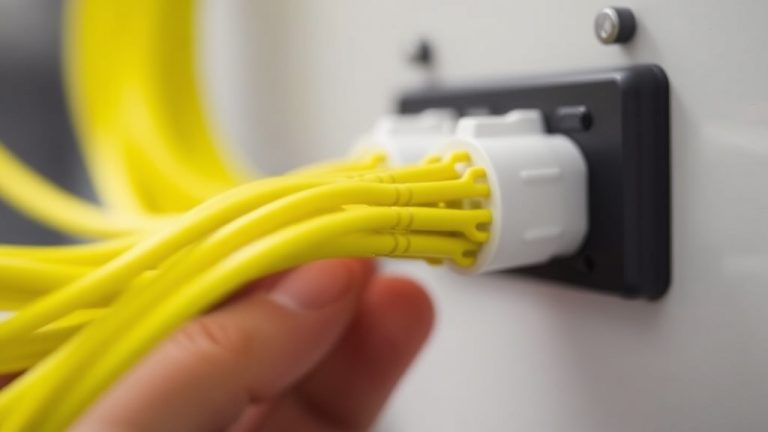
– Faulty HDMI cables or loose connections
– Damaged power supply units
– Defective tuner or receiver components
– Problems with the TV screen itself
Signal and Connection Issues
– Weak or lost internet connection affecting IPTV signals
– Incorrect input source selected on your TV
– Issues with the Telus set-top box or receiver
Software Glitches
– Outdated firmware or software bugs
– Temporary glitches caused by system updates
– Corrupted cache or system data
External Factors
– Power surges or outages
– Interference from other electronic devices
– Environmental factors like poor signal reception
Addressing the telus optik tv no picture problem requires diagnosing which of these causes is at play. Often, a combination of these issues might be responsible, making thorough troubleshooting essential.
Step-by-Step Troubleshooting for telus optik tv no picture
When faced with telus optik tv no picture, follow these structured steps to identify and fix the issue:
1. Check Your Connections
– Ensure all HDMI, component, or AV cables are securely connected.
– Inspect cables for visible damage or wear.
– Switch out cables with known working ones to rule out faults.
2. Verify Power and Input Sources
– Confirm your TV and set-top box are powered on.
– Use the remote to select the correct input source (HDMI 1, HDMI 2, etc.).
– Restart your TV and Telus receiver by unplugging, waiting 30 seconds, then plugging back in.
3. Test with a Different Device
– Connect another device (like a DVD player) to the same port to see if the issue persists.
– If other devices display correctly, the problem may lie with your Telus box.
4. Reset Your Telus Equipment
– Perform a soft reset by turning off the receiver, unplugging it, waiting a minute, then powering it back on.
– For persistent issues, consider a factory reset, but note this may erase custom settings.
5. Update Firmware and Software
– Check if your Telus Optik TV receiver has pending updates.
– Follow instructions from Telus support to update firmware, which can resolve telus optik tv no picture caused by software glitches.
6. Troubleshoot Network Problems
– Test your internet connection stability.
– Restart your modem/router.
– Use a wired connection if possible to improve signal reliability.
7. Contact Telus Support
– If you’ve gone through these steps and still face telus optik tv no picture, it’s time to reach out to professional help.
– Telus technicians can diagnose hardware failures or service outages that aren’t apparent.
In practice, most users find that a combination of checking connections and resetting devices resolves the telus optik tv no picture issue. For minor glitches, this often works within minutes.
Preventative Tips to Avoid Future telus optik tv no picture
Prevention is always better than cure. Here are some tips to keep your Telus Optik TV functioning smoothly and avoid encountering telus optik tv no picture in the future:
1. Regularly Check and Secure Connections
– Periodically inspect cables for damage.
– Ensure all connections are tight and dust-free.
2. Keep Firmware Updated
– Enable automatic updates where possible.
– Check manually for updates monthly to ensure system stability.
3. Use Surge Protectors
– Protect your equipment from power surges, which can cause hardware failures leading to telus optik tv no picture issues.
4. Maintain a Stable Internet Connection
– Use wired Ethernet connections over Wi-Fi for streaming.
– Upgrade your router if your connection is frequently unstable.
5. Schedule Routine Maintenance
– Restart your Telus box periodically.
– Clear cache and temporary files if your device supports such features.
By adhering to these tips, you significantly reduce the likelihood of facing telus optik tv no picture disruptions and ensure a seamless viewing experience.
When to Contact Telus Support
Sometimes, despite all troubleshooting efforts, the telus optik tv no picture persists. In such cases, professional intervention is necessary. Contact Telus support if:
– The issue persists after resetting and checking connections.
– You notice blinking error codes or messages on your receiver.
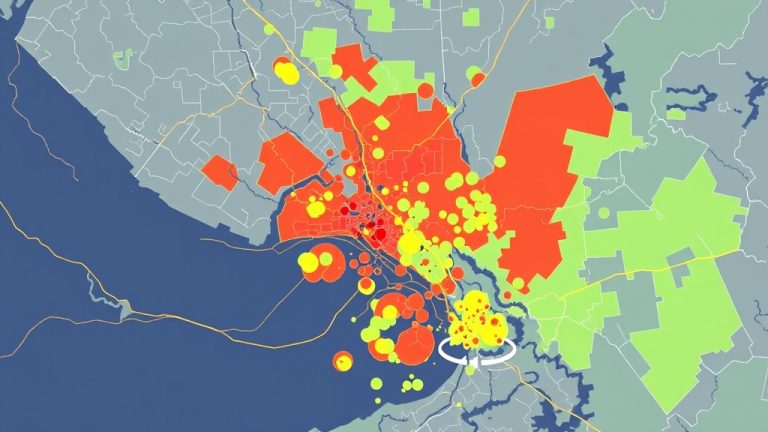
– Your service is interrupted due to outages in your area.
– Hardware appears physically damaged or malfunctioning.
Telus support is equipped to diagnose complex hardware failures, service outages, or account issues that could cause a continued telus optik tv no picture. Their technicians can often resolve problems remotely or schedule a visit if needed.
—
References and Resources
These resources provide valuable information about telus optik tv no picture. Check them out for additional insights:
Authoritative Sources on telus optik tv no picture
-
Telus Support: TV Troubleshooting
telus.comOfficial troubleshooting guides for common issues like telus optik tv no picture and system updates.
-
Canadian Industry Standards
canada.caGuidelines on electronic device maintenance and troubleshooting, relevant for resolving telus optik tv no picture.
-
Consumer Reports: TV Troubleshooting
consumerreports.orgExpert reviews and tips on maintaining TV hardware health to prevent issues like telus optik tv no picture.
-
TechRadar: Setting Up Your TV Equipment
techradar.comStep-by-step guides on connecting and troubleshooting modern smart TVs and streaming devices.
-
CNET: Troubleshooting TV Issues
cnet.comPractical advice on resolving common TV problems, including the telus optik tv no picture scenario.

-
Digital Trends: Smart TV Maintenance
digitaltrends.comTips on keeping your smart TV and streaming devices optimized to prevent issues like telus optik tv no picture.
Conclusion
Experiencing a telus optik tv no picture can be a major inconvenience, but with a systematic approach, most users can troubleshoot and resolve the issue swiftly. The key is to understand the common causes, check connections, reset devices, and keep software updated. Remember, many problems stem from simple hardware or signal issues that are easy to fix at home.
Of course, if all DIY efforts fail, reaching out to Telus support ensures professional assistance to get your TV back to optimal performance. Staying proactive with maintenance and awareness of potential issues can help prevent future disruptions, allowing you to enjoy seamless entertainment without interruptions. So, next time you face telus optik tv no picture, follow these steps and regain control over your viewing experience.

Find out more information about “telus optik tv no picture”
Search for more resources and information: