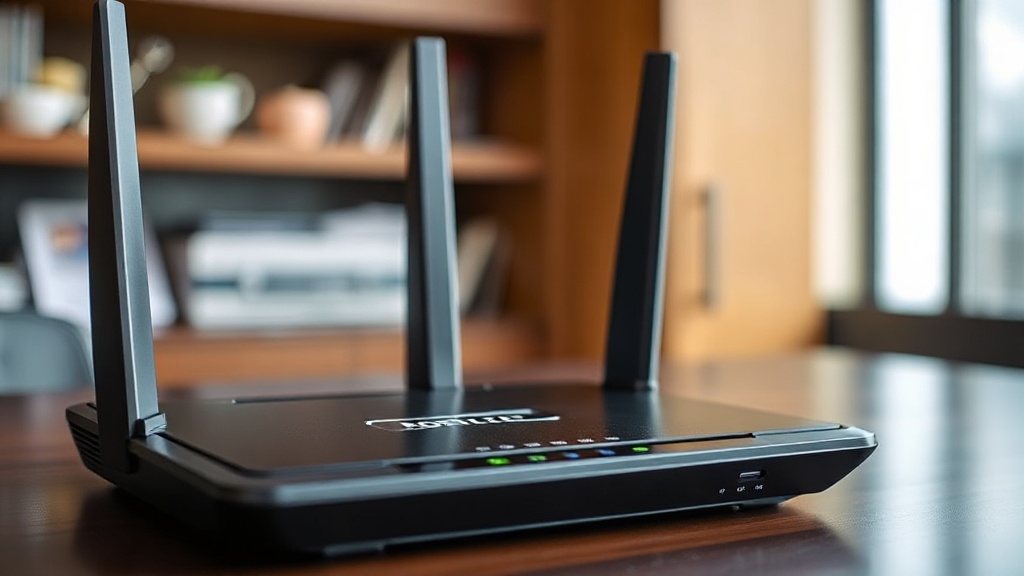
Should I Enable Port Forwarding on My Router? Unlocking Faster Connections and Enhanced Security
Understanding Port Forwarding: What It Is and How It Works
Port forwarding is a networking technique that allows external devices to access services within a private local network through specific ports. Essentially, it acts as a bridge, directing incoming traffic from the internet to designated devices inside your home or office network. This process is crucial for applications like gaming, remote desktop access, hosting servers, or CCTV systems that require direct external communication.
So, when someone asks should i enable port forwarding on my router, they’re often considering whether this setup will improve their connection speed or security. The reality is, port forwarding can significantly enhance online experiences—if configured correctly—and is often necessary for specific use cases.
Understanding how port forwarding works involves knowing that most routers have a built-in firewall that blocks unsolicited inbound traffic. By default, incoming requests are ignored to protect your network, but enabling port forwarding opens specific channels for targeted traffic. Think of it as opening a dedicated door for certain data to come in, bypassing general security blocks for trusted applications.
This setup is particularly beneficial for gamers seeking lower latency, streamers wanting smoother broadcasts, or remote workers accessing corporate resources securely. However, the decision to should i enable port forwarding on my router hinges on weighing its advantages against potential security concerns.
—
Should I Enable Port Forwarding on My Router? Key Considerations
Deciding whether should i enable port forwarding on my router isn’t a one-size-fits-all answer. Several factors come into play, including your specific needs, security posture, and the potential risks involved. Here are some essential considerations:
When is port forwarding necessary?
– Hosting game servers or web servers from home
– Running a remote desktop or VPN server
– Using peer-to-peer file sharing applications
– Setting up a CCTV or IoT device that requires external access
If your primary goal is to improve online gaming or streamline remote work, port forwarding can reduce lag and latency, providing a noticeably faster connection. On the other hand, if you’re just browsing or streaming content, it might not be necessary.
Security implications of port forwarding
One critical aspect is understanding that opening ports can expose your network to potential threats. Hackers often scan for open ports to exploit vulnerabilities. Therefore, should i enable port forwarding on my router only if you’re confident in your security measures and understand the risks.
– Open ports can be targeted for attacks
– Misconfigured forwarding rules may create vulnerabilities
– It’s essential to keep your firmware updated and use strong passwords
Research shows that improperly configured port forwarding is one of the leading causes of network breaches in home environments. For users unsure, employing VPNs or secure tunnels might be a safer alternative.
Alternatives to port forwarding
If security is a top priority, consider these alternatives:
– UPnP (Universal Plug and Play): Automates port management but can be insecure if not managed properly
– VPNs (Virtual Private Networks): Provide secure remote access without exposing ports
– Cloud-based services: Host applications or data off-site
In essence, ask yourself whether the benefits of should i enable port forwarding on my router outweigh the potential security risks, especially if you’re not familiar with network configurations.
—
How to Enable Port Forwarding Safely and Effectively
If you’ve weighed the pros and cons and decided that should i enable port forwarding on my router, the next step is doing it correctly. Proper setup is vital to maximize benefits and minimize vulnerabilities.
Step-by-step guide to enable port forwarding
1. **Identify the device and application:** Determine which device or service needs the open port.
2. **Find the device’s IP address:** Usually through your network settings or router’s device list.
3. **Access your router’s admin panel:** Typically via a web browser—enter the router’s IP address.
4. **Locate port forwarding settings:** Often under “Advanced,” “NAT,” or “Firewall” sections.
5. **Create a new port forwarding rule:**
– Enter a descriptive name
– Input the external port number (or range)
– Specify the internal IP address
– Define the internal port (if different)
– Choose TCP, UDP, or both protocols
6. **Save and apply changes:** Confirm the rules are active.
7. **Test the setup:** Use online port checkers or the application’s tools.
Best practices for secure port forwarding
– Use static IP addresses for devices involved
– Limit open ports to only what’s necessary
– Enable firewall rules to restrict access
– Keep your router firmware updated
– Regularly review and disable unused forwarding rules
Remember, if you’re unsure should i enable port forwarding on my router, consulting your device’s documentation or a network professional can save you from common pitfalls.
—
Advantages and Risks of Port Forwarding
Understanding the benefits and potential dangers of port forwarding helps clarify whether it’s suitable for your setup.
Advantages of enabling port forwarding
– **Improved connection speeds:** Particularly in online gaming or live streaming, reducing lag.
– **Better stability for hosting services:** Allows dedicated access to servers, cameras, or remote desktops.
– **Enhanced remote access:** Enables secure access to home or office networks from anywhere.
– **Lower latency:** Critical for real-time applications.
Risks associated with port forwarding
– **Security vulnerabilities:** Open ports can be exploited if not managed properly.
– **Unauthorized access:** Malicious actors may attempt to breach exposed services.
– **Network instability:** Incorrect configurations can cause connectivity issues.
– **Potential for data breaches:** Especially if default credentials or outdated firmware are used.
Ultimately, whether should i enable port forwarding on my router depends on balancing these advantages against the security considerations. Properly configured, it can be a powerful tool for enhancing your network’s functionality.
—
Expert Tips: When and Why You Might Need to Enable Port Forwarding
Knowing when should i enable port forwarding on my router is essential for maximizing benefits without exposing yourself to unnecessary risks.
Common scenarios requiring port forwarding
– Hosting multiplayer game servers for friends
– Setting up a personal web or FTP server
– Using remote desktop applications like TeamViewer or Remote Desktop Protocol (RDP)
– Connecting IP cameras for remote surveillance
– Running peer-to-peer sharing programs
Signs that you might need port forwarding
– Your application or device reports it cannot establish a connection
– You experience lag or disconnects during online gaming
– Remote access features are inaccessible
– You receive NAT errors in gaming or conferencing apps
Key advice on should i enable port forwarding on my router?
– Only open ports necessary for your operation
– Use strong passwords and security measures
– Regularly update your router firmware
– Consider alternative security solutions like VPNs
In summary, understanding your specific needs will guide you in deciding whether to enable port forwarding. It’s not always necessary, but when used appropriately, it can unlock faster connections and more reliable remote access.
—
References and Resources
These resources provide valuable information about should i enable port forwarding on my router. Check them out for additional insights:
Authoritative Sources on should i enable port forwarding on my router
-
Cisco Support: Port Forwarding Explained
cisco.comA comprehensive overview of port forwarding principles, best practices, and security considerations.
-
How-To Geek: Setting Up Port Forwarding
howtogeek.comStep-by-step guide for configuring port forwarding on popular routers, with security tips included.
-
PCWorld: How to Open Ports
pcworld.comIn-depth article explaining the importance of port management and security best practices.
-
TechRadar: Forwarding Ports for Better Gaming
techradar.comPractical advice for gamers seeking to optimize their network through port forwarding.
-
Lifewire: Port Forwarding Basics
lifewire.comOverview of how port forwarding works and security recommendations for home users.
-
ResearchGate: Network Security and Port Forwarding
researchgate.netAcademic insights into the security implications of port forwarding in modern networks.
-
US-CERT: Network Security Tips
us-cert.govOfficial guidance on securing home networks when using port forwarding.
-
Cloudflare Blog: Port Forwarding versus VPN
cloudflare.comComparison of techniques for secure remote access, highlighting when port forwarding is appropriate.

Frequently Asked Questions
Frequently Asked Questions
Should I enable port forwarding on my router if I want to host a game server?
Yes, enabling port forwarding is often necessary to host a game server effectively, as it allows incoming connections to reach your server with minimal latency. Ensure you configure the correct ports and secure your network to prevent unauthorized access.
Is it safe to enable port forwarding for remote access?
Enabling port forwarding for remote access can be safe if you take proper security precautions, such as using strong passwords, keeping firmware updated, and limiting open ports. Otherwise, it may expose your network to vulnerabilities. Consider whether should i enable port forwarding on my router in your specific scenario.
What are the alternatives to port forwarding?
Alternatives include using VPNs, UPnP, or cloud-based services. These options can provide secure remote access without opening specific ports, reducing security risks associated with port forwarding.
How do I test if my port forwarding setup is working?
You can use online port checking tools such as CanYouSeeMe.org or PortChecker.co. Enter the port number you forwarded and verify if it’s open. If not, review your router’s settings and device configurations.
Should I enable port forwarding for gaming consoles?
Enabling port forwarding can improve online gaming experience by reducing lag and NAT issues. Check your console’s documentation for recommended ports and ensure your network remains secure.
Conclusion
Deciding should i enable port forwarding on my router depends on your specific needs for speed, access, and security. It offers tangible benefits like reduced latency, better hosting capabilities, and remote access convenience. However, it also introduces potential vulnerabilities if not managed carefully.
The key is to evaluate whether the advantages outweigh the risks in your particular scenario. If you choose to proceed, do so with proper security measures—like strong passwords, firmware updates, and limited open ports. Ultimately, understanding should i enable port forwarding on my router empowers you to make informed decisions for a faster, more versatile, and secure network.

Find out more information about “should i enable port forwarding on my router”
Search for more resources and information: