Master Telus Router Port Forwarding: Simplify Setup, Boost Security, and Unlock Gaming Power
Are you tired of network issues hindering your gaming experience or preventing remote access to your home devices? If you’re a Telus customer, mastering telus router port forwarding can be a game-changer. Proper port forwarding not only simplifies setup but also significantly enhances your network security and unlocks the full potential of your online activities.
Whether you’re aiming to host game servers, access security cameras remotely, or improve your VPN connection, understanding how to configure telus router port forwarding is essential. This guide walks you through the process step-by-step, providing expert tips and insights to make your setup seamless and effective. Ready to take control of your network? Let’s dive into the world of telus router port forwarding and unlock your digital power.
Understanding Telus Router Port Forwarding
What is telus router port forwarding?
At its core, telus router port forwarding is a network configuration that directs incoming internet traffic to specific devices within your local network. Think of it as opening a dedicated door for certain types of data—like a gaming server or security system—to communicate with your router without exposing your entire network to potential threats.
In practice, port forwarding assigns a specific port number to a device, enabling external sources to reach it directly. For example, if you’re hosting a Minecraft server, you might forward port 25565 to your gaming PC. This process is vital for ensuring your devices can communicate efficiently while maintaining security boundaries.
Why is telus router port forwarding important?
Without proper port forwarding, your devices remain behind strict NAT (Network Address Translation) settings, making remote access difficult or impossible. Conversely, configuring port forwarding correctly allows seamless connectivity, vital for online gaming, remote work, or accessing security cameras. Additionally, it minimizes security risks by limiting exposure to only the necessary ports.
Research shows that many network issues stem from improper port forwarding configurations. Therefore, mastering telus router port forwarding is a crucial skill for any tech-savvy user looking to optimize their home network.
How to Configure telus router port forwarding
Step-by-step guide to set up telus router port forwarding
- Access your Telus router’s admin panel by entering its IP address (usually 192.168.1.1) into your web browser.
- Log in using your username and password. Default credentials are often printed on the router or set during initial setup.
- Navigate to the ‘Port Forwarding’ or ‘Applications & Gaming’ section. This varies depending on your router model.
- Create a new port forwarding rule:
- Enter a descriptive name (e.g., “Game Server”)
- Input the internal IP address of the device you want to forward ports to
- Specify the external and internal ports (e.g., 25565 for Minecraft)
- Select the protocol (TCP, UDP, or both)
- Save the settings and reboot your router if necessary.
- Test your setup by accessing your device remotely or using online port checker tools.
should i enable port forwarding on my router
For a detailed walkthrough tailored to Telus routers, check out our telus router port forwarding setup guide.
Common pitfalls to avoid during configuration
- Using incorrect internal IP addresses—ensure your device has a static IP assigned.
- Forgetting to enable the port forwarding rule after creation.
- Not selecting the correct protocol (TCP or UDP).
- Overlooking firewall settings that might block forwarded ports.
- Failing to check if your ISP blocks certain ports—sometimes, ISPs restrict specific ports for security reasons.
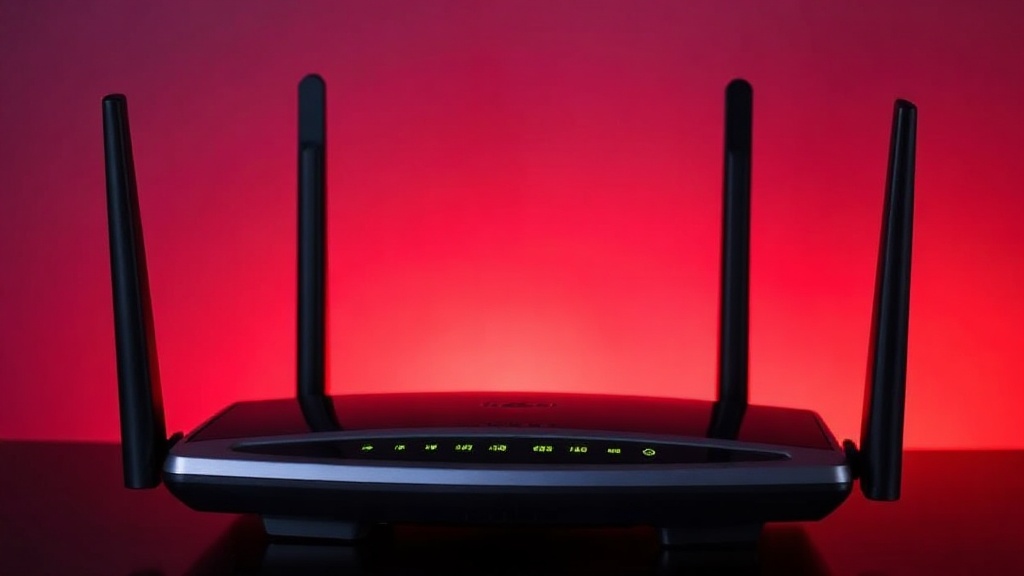
Comparing a misconfigured setup versus an optimized one illustrates the importance of precise configuration. Proper telus router port forwarding ensures reliable connectivity and minimizes disruptions.
Benefits of Proper Telus Router Port Forwarding
Enhanced gaming and remote access
One of the most immediate benefits of telus router port forwarding is significantly improved online gaming. By forwarding the necessary ports, you reduce latency and avoid NAT issues that can prevent multiplayer connections. This setup also allows for hosting game servers at home, giving you control over your gaming environment.
Similarly, remote access to home security cameras, NAS drives, or work servers becomes straightforward. Instead of relying on third-party services, direct port forwarding provides a secure, reliable connection, especially when combined with strong passwords and updated firmware.
Security enhancements
Contrary to common misconceptions, proper port forwarding can bolster your network security. By explicitly opening only necessary ports, you reduce the attack surface compared to leaving all ports open or using universal UPnP. Additionally, you can implement firewall rules and monitor incoming traffic for suspicious activity.
Increased network performance
Optimizing telus router port forwarding can also improve network performance by reducing unnecessary traffic bottlenecks. When configured correctly, it streamlines data flow to specific devices, ensuring faster response times and smoother streaming or gaming experiences.
Common Troubleshooting Tips for Telus Router Port Forwarding
Why isn’t port forwarding working?
Many users encounter issues where forwarded ports remain inaccessible. The first step is verifying that the device’s internal IP address is static—dynamic IPs can change after reboots, breaking the rule.
Next, double-check the port numbers, protocol, and rule activation. Disable any firewall or antivirus software temporarily to test if they are blocking the connection. Also, confirm that your ISP doesn’t block the specific ports you’re trying to open.
Testing your port forwarding setup
- Use online tools like “CanYouSeeMe” or “Ping.eu” to verify if ports are open.
- Attempt remote connection to your device from outside your network.
- Check router logs for blocked or failed attempts.
Failing to troubleshoot effectively can lead to frustration, but systematically testing and verifying each aspect of your setup ensures success. Remember, telus router port forwarding is a powerful tool — when configured correctly, it opens doors to a world of digital possibilities.
Expert Tips to Optimize Telus Router Port Forwarding
Security best practices
Always update your router firmware to patch security vulnerabilities. Use strong, unique passwords for your router admin panel. When configuring port forwarding, limit access to specific IP addresses whenever possible.

Maximizing performance for gaming and remote work
- Assign static IP addresses to devices needing port forwarding.
- Use DMZ mode cautiously; it exposes your device directly to the internet and can be risky.
- Configure Quality of Service (QoS) settings to prioritize gaming traffic or critical applications.
- Regularly check and update your port forwarding rules to match evolving needs.
Comparing default vs. optimized configurations
Default settings often block certain ports or do not forward necessary ones, leading to connectivity issues. An optimized telus router port forwarding configuration ensures you get the best balance of accessibility and security, tailored to your specific use case.
References and Resources
These resources provide valuable information about telus router port forwarding. Check them out for additional insights:
Authoritative Sources on telus router port forwarding
-
Telus Support – Router Settings
Official Telus guide on router configuration and port forwarding options for their devices.Provides step-by-step instructions tailored specifically for Telus routers, ensuring accurate setup.
-
Port Forward – Telus Router Tutorials
Comprehensive tutorials on port forwarding for various router brands, including Telus models.Useful for troubleshooting and advanced configurations to maximize your network’s potential.
-
Cisco Support – Network Configuration
General principles of network port forwarding and security best practices applicable across devices.Helps understand foundational concepts that improve your ability to configure telus router port forwarding securely.
-
TechRadar – Opening Ports Guide
Expert advice on port forwarding setup, security, and troubleshooting for various ISPs and routers.A valuable resource for both beginners and experienced users aiming to optimize their network configuration.
-
How-To Geek – Networking Tips
Practical articles on network setup, security, and performance optimization.Helpful for refining your understanding of telus router port forwarding and related topics.
Frequently Asked Questions
How do I set up telus router port forwarding?
To set up telus router port forwarding, log into your Telus router’s admin panel, navigate to the port forwarding section, create a new rule with the correct IP address, port numbers, and protocol, then save and apply the changes. Always verify your configuration with online port checkers.
What is the purpose of telus router port forwarding?
The main purpose of telus router port forwarding is to enable external devices or users to access specific services within your private network, such as gaming servers, security cameras, or remote desktops, while maintaining security by only opening necessary ports.
Can port forwarding improve my gaming connection on Telus?
Absolutely. Proper telus router port forwarding reduces NAT issues and latency, leading to smoother gameplay and better multiplayer experiences. Forwarding specific game ports allows your console or PC to connect more reliably to gaming servers.
Is port forwarding secure?
When configured correctly, telus router port forwarding can be secure. Limit access to specific IP addresses, keep firmware updated, and avoid forwarding unnecessary ports. Proper security practices help prevent unauthorized access.
What should I do if port forwarding isn’t working?
Ensure your device has a static IP, verify the port numbers and protocol, and check if your ISP blocks certain ports. Also, review firewall settings and test your configuration with online port checkers. Reboot your router after changes to ensure they take effect.
Conclusion
Mastering telus router port forwarding is a powerful way to unlock the full potential of your network. Whether you’re aiming for smoother gaming, remote device access, or improved security, correctly configuring port forwarding provides the control and flexibility you need.
The reality is that, with a little effort and understanding, anyone can set up
Find out more information about “telus router port forwarding”
Search for more resources and information: