Why Your Telus SIM Isn’t Working and How to Fix It Once and For All
Understanding Why Your Telus SIM Not Working
Experiencing a telus sim not working can be frustrating, especially when you rely on your mobile device for everything from communication to business. The reality is, there are multiple reasons why your SIM card might suddenly stop functioning. Whether it’s a temporary glitch or a more serious hardware issue, understanding the root causes is the first step toward resolving the problem once and for all.
Many users encounter the sudden appearance of “No Service” messages or find their phones unable to connect to the network. These issues often stem from problems with the SIM card itself, network outages, or device compatibility issues. This guide will walk you through common causes, troubleshooting steps, and preventative tips to ensure your telus sim works perfectly whenever you need it.
So, if you’ve been searching for solutions to the telus sim not working problem, you’re in the right place. Let’s dive into why this issue occurs and how you can fix it efficiently.
Common Causes of telus sim not working
Understanding the typical causes behind a telus sim not working scenario helps you target your troubleshooting efforts more effectively. Here are some common reasons:
1. Physical Damage or Wear and Tear
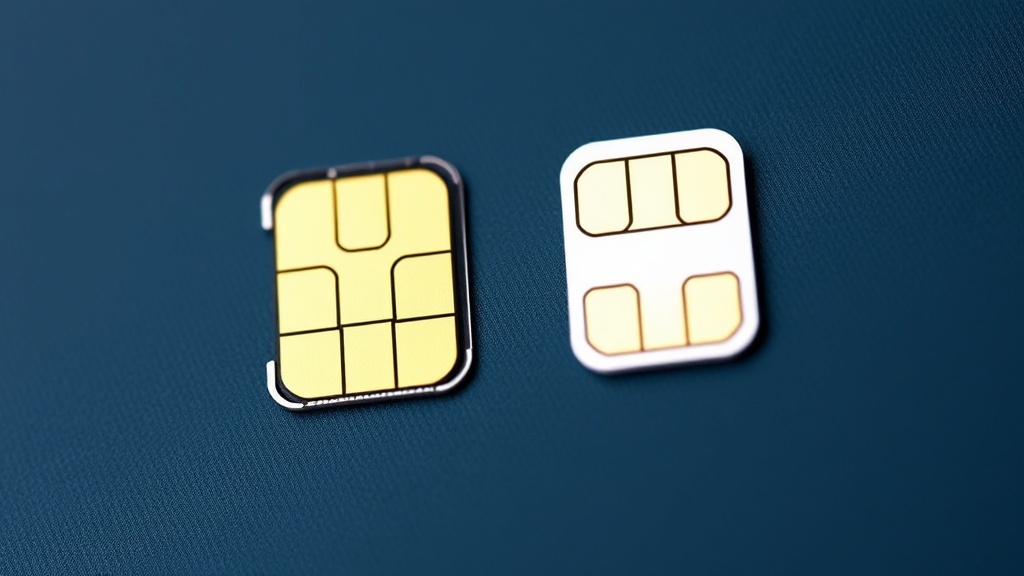
Over time, SIM cards can become damaged due to scratches, bending, or exposure to liquids. Even a tiny crack can disrupt the connection between the card and your device, leading to network issues.
2. Incorrect or Loose SIM Card Placement
Sometimes, the SIM might not be seated properly in its tray. A loose connection prevents your phone from reading the SIM correctly, resulting in a telus sim not working error.
3. Network Outages or Service Disruptions
Telus, like all providers, occasionally experiences outages due to maintenance or technical faults. During such times, your SIM may appear to be non-functional even if it’s perfectly fine.
4. Software or Firmware Issues
Outdated or corrupted software can interfere with network connectivity. This is especially common after software updates that aren’t fully compatible with your device.
5. Account or Service Activation Problems
If your account hasn’t been activated correctly or if there’s a billing hold, your SIM might not connect to the network, resulting in a telus sim not working message.
6. Device Compatibility or Locking
Some phones are locked to other carriers or may not be compatible with Telus’s network frequencies. This incompatibility can cause your SIM to not work properly.
Step-by-Step Troubleshooting for telus sim not working
When facing issues with your Telus SIM card, methodical troubleshooting can often resolve the problem. Here’s a comprehensive process to identify and fix the telus sim not working situation:
1. Restart Your Device
– Power off your phone completely.
– Remove the SIM card and inspect it for damage.
– Reinsert the SIM card carefully, ensuring it fits snugly.
– Turn your device back on.
– Check if the network connection is restored.
2. Verify SIM Card Placement and Damage
– Remove the SIM tray and examine the card.
– Look for scratches, dirt, or cracks.
– Clean the SIM gently with a soft cloth.
– If damaged, replace the SIM card.
3. Test the SIM in Another Device
– Insert your Telus SIM into a different compatible phone.
– If it works elsewhere, the issue might be with your original device.
– If it still doesn’t work, the problem likely lies with the SIM card or account.
4. Check for Network Outages
– Visit Telus’s official service status page or social media channels.
– Contact customer support to confirm if there are ongoing outages.
– If there’s an outage, wait until the service is restored.
5. Update Device Software
– Ensure your device’s operating system is up to date.
– Install any pending updates, which can fix bugs affecting network connectivity.
6. Reset Network Settings
– Navigate to your device settings.
– Find the option to reset network settings.
– Confirm and restart your device.
– Re-enter your network details if prompted.
7. Confirm Account Status
– Log into your Telus account online.
– Verify that your service is active and there are no billing holds.
– Contact Telus support if you suspect account issues.
8. Check for Device Compatibility or Lock Status
– Confirm your device isn’t locked to another carrier.
– Ensure your phone supports Telus’s network frequencies.
– Contact your device manufacturer or Telus for unlock options if necessary.
**Comparing Scenarios:**
Before and after performing these steps, check if your telus sim not working issue persists. Often, these straightforward troubleshooting steps resolve the problem without needing further intervention.
Preventative Measures and Tips
Prevention is always better than cure, especially when it comes to maintaining the functionality of your telus sim not working. Here are some tips to keep your SIM card in optimal condition:
– Handle your SIM card with care; avoid bending or scratching.
– Keep your SIM clean and free of dust or debris.
– Regularly update your device’s software to ensure compatibility.
– Avoid inserting or removing the SIM card frequently.
– Use a secure phone case to prevent physical damage.
– Confirm that your device is unlocked if purchased secondhand.
– Check for network outages before troubleshooting.
Additionally, consider upgrading to a newer device if your current one is outdated or incompatible with Telus’s network.
When to Contact Telus Support
Sometimes, despite all troubleshooting efforts, telus sim not working issues persist. At this point, contacting Telus customer support is the best course of action. Reach out if:
– Your SIM has physical damage that cannot be repaired.
– The network outage persists beyond the expected duration.
– Your account shows no issues, but connectivity remains unavailable.
– Your device is locked or incompatible with Telus’s network.
– You need a replacement SIM card or assistance with unlocking your device.
Telus support can perform advanced diagnostics, replace faulty SIM cards, or resolve account-related problems effectively.
References and Resources
These resources provide valuable information about telus sim not working. Check them out for additional insights:
Authoritative Sources on telus sim not working
-
Telus Support: Device Activation & SIM Troubleshooting
telus.comOfficial guide on troubleshooting SIM card issues, including steps to resolve telus sim not working.
-
Canadian Telecommunications Regulation
canada.caProvides insight into network outages and consumer rights related to telecom services, helpful when facing persistent telus sim not working issues.
-
TechRadar: Smartphone Repair Tips
techradar.comUseful tips on handling hardware issues that may cause telus sim not working.

-
Android Authority
androidauthority.comComprehensive articles on device compatibility and troubleshooting network issues, including telus sim not working.
-
FTC Consumer Advice
ftc.govDetails consumer rights related to telecom services, including steps to take if your SIM card continues to malfunction.
Conclusion
Dealing with a telus sim not working issue can be straightforward once you understand the common causes and follow a structured troubleshooting approach. From ensuring proper SIM placement to checking for network outages, many problems are resolvable without professional help. However, if troubleshooting fails, reaching out to Telus support is your best bet for a quick resolution.
The key takeaway? Regular maintenance, careful handling, and staying informed about network issues can significantly reduce the chances of encountering persistent telus sim not working problems. Ultimately, a functioning SIM card keeps you connected, productive, and stress-free. Don’t let technical hiccups hold you back—take proactive steps today to keep your mobile experience seamless.

Find out more information about “telus sim not working”
Search for more resources and information: