Troubleshooting Telus Fibre Optic Problems: Expert Tips to Restore Seamless Internet Connectivity
Understanding Telus Fibre Optic Problems
telus fibre optic problems can be frustrating, especially when they disrupt your daily activities—streaming, remote work, or online gaming. Many users encounter intermittent disconnects, slow speeds, or complete outages that seem to appear without warning. Recognizing the root causes of these telus fibre optic problems is essential for effective troubleshooting and swift resolution.
The reality is that fibre optic technology, while highly reliable, isn’t immune to issues. Factors such as environmental damage, hardware failures, or maintenance work can lead to connectivity disruptions. Whether you’re experiencing persistent telus fibre optic problems or occasional glitches, understanding the common sources helps you take targeted actions to restore seamless internet service.
In this article, we’ll explore expert-tested tips for diagnosing and fixing telus fibre optic problems. From identifying physical damage to optimizing your setup, you’ll gain practical insights that empower you to resolve issues efficiently.
Common Causes of Telus Fibre Optic Issues
telus fibre optic problems often stem from a range of physical, technical, and environmental factors. Understanding these causes can help you anticipate potential issues and address them proactively.
Physical Damage to Fibre Cables
Physical damage remains one of the leading causes of fibre optic problems. Cables can be compromised by accidental cuts, rodent activity, or exposure to harsh weather conditions. Damaged cables lead to signal loss or intermittent connectivity, which manifests as slow speeds or complete outages.
Connectivity Hardware Malfunctions
Routers, ONTs (Optical Network Terminals), or splitters may malfunction over time. Power surges, hardware aging, or improper installation can cause these devices to underperform or stop working altogether.
Network Congestion and Overload
During peak hours, network congestion can slow down your internet connection, especially if multiple devices are sharing bandwidth. While this isn’t a hardware failure, it can mimic telus fibre optic problems and frustrate users.
External Factors and Maintenance
Sometimes, Telus conducts maintenance or upgrades, temporarily affecting service quality. Additionally, environmental factors like extreme weather, construction activities, or accidental cable disruptions can cause outages.
Comparison: Fibre vs. Copper Networks
Unlike traditional copper cables, fibre optics are less susceptible to electromagnetic interference. However, they are more delicate physically. The advantage is that fibre optic connections typically provide higher reliability, but when issues occur, pinpointing the cause requires careful investigation.
Step-by-Step Troubleshooting for Telus Fibre Optic Problems
Effective troubleshooting begins with a systematic approach. Here’s a comprehensive guide for addressing telus fibre optic problems to restore your internet connection swiftly.
1. Check for Service Outages
– Visit Telus’ official outage map or support page to see if there’s a known service disruption.
– Contact Telus customer service for confirmation if the outage isn’t publicly reported.
– Use Telus’ mobile app or online portal to verify your account status and recent alerts.
2. Inspect Physical Connections
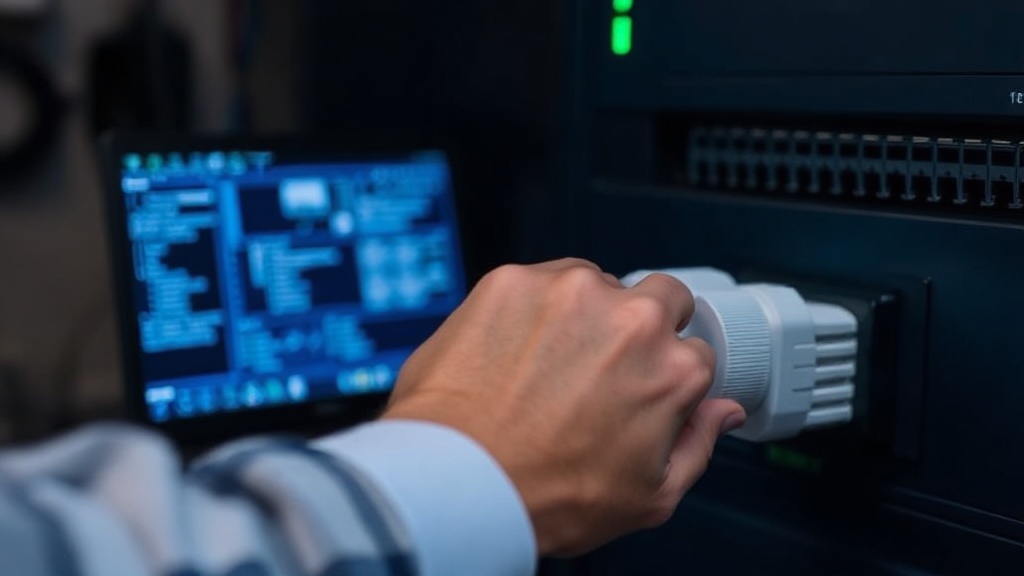
– Ensure all fibre cables are securely connected to the ONT and router.
– Look for visible damage or wear on cables—cracks, kinks, or cuts.
– Confirm that the ONT’s status lights indicate normal operation (refer to the device manual).
3. Restart Equipment
– Power off your modem and router.
– Wait for 30 seconds to allow residual charge to dissipate.
– Power them back on sequentially, starting with the ONT, then the router.
– Observe the lights on each device—any abnormal patterns may signal issues.
4. Test Internal Network Devices
– Connect directly to the ONT with an Ethernet cable to test if Wi-Fi issues are causing the problem.
– Use speed test tools like Ookla Speedtest to compare actual speeds with your plan.
– Check for firmware updates on your router or ONT, as outdated software can cause connectivity problems.
5. Troubleshoot External Factors
– If physical damage is suspected, consider calling a professional technician.
– For environmental issues or ongoing maintenance, wait until services are restored.
– If you notice frequent outages or persistent telus fibre optic problems, escalate the issue with Telus support.
6. Use Diagnostic Tools
– Run ping tests to identify latency or packet loss issues.
– Use network diagnostic apps to analyze connection stability.
– If problems persist after these steps, it may be necessary to request a technician visit or replace faulty equipment.
Preventive Measures and Maintenance
Proactively maintaining your fibre optic setup can minimize telus fibre optic problems. Here are expert tips to keep your network running smoothly:
– Regularly inspect cables for physical damage.
– Keep your networking equipment in a well-ventilated, safe location away from moisture and extreme temperatures.
– Update firmware on your ONT and router to patch security vulnerabilities and improve stability.
– Avoid DIY repairs on underground cables—leave complex issues to certified technicians.
– Schedule periodic professional inspections, especially if your area experiences frequent weather disturbances or construction.
Furthermore, educating yourself on the signs of impending issues can save time and frustration. For example, noticing a gradual decline in speed or increased packet loss signals it’s time for maintenance.
When to Contact Telus Support
While many telus fibre optic problems can be resolved with DIY troubleshooting, some issues require professional intervention. Consider reaching out to Telus support if:
– You’ve completed all troubleshooting steps with no improvement.
– Your ONT’s indicator lights show error statuses.
– There’s physical damage to cables or infrastructure.
– Service outages persist beyond initial notifications.
– Your network exhibits consistent, unexplained slowness despite hardware checks.
When contacting Telus, provide detailed information about your setup, recent changes, and troubleshooting steps taken. This information allows support teams to diagnose issues more efficiently.
References and Resources
These resources provide valuable information about telus fibre optic problems. Check them out for additional insights:
Authoritative Sources on telus fibre optic problems
-
Telus Support Outage Page
telus.comOfficial outage updates, troubleshooting guides, and service alerts directly from Telus.
-
Cisco’s Guide on Fiber Optic Cabling
cisco.comComprehensive resource on fibre optic cable types, installation tips, and troubleshooting.
-
Fiber Optics News and Updates
fiberoptics4sale.comLatest trends, issues, and technological innovations related to fibre optics.
-
ITU on Optical Fibre Technology
itu.intResearch and standards on reliable fibre optic deployment and issues.

-
Research on Fibre Optic Cable Damage
researchgate.netAcademic insights into causes, prevention, and repair of fibre optic cable issues.
-
NEA Blog on Fibre Network Failures
nea.comExpert advice on diagnosing and preventing fibre optic network failures.
-
BBC Technology News
bbc.comLatest news on fibre optic infrastructure projects and technological challenges.
Conclusion
Addressing telus fibre optic problems requires a strategic approach rooted in understanding common causes and employing systematic troubleshooting. While fibre optics are renowned for their high reliability, environmental factors, hardware issues, and external disruptions can still cause connectivity setbacks.
By proactively inspecting physical cables, ensuring your equipment is up-to-date, and knowing when to seek professional assistance, you can significantly reduce downtime and frustration. Remember, the key to seamless internet connectivity lies in early detection and prompt action—whether through DIY steps or support from Telus.
Ultimately, maintaining awareness of potential telus fibre optic problems and following expert tips ensures you stay connected when it matters most. Keep your network in top shape, and enjoy the full benefits of modern fibre optic technology.

Find out more information about “telus fibre optic problems”
Search for more resources and information: