Troubleshooting Tips: What to Do When Your Bell PVR Isn’t Working After a Power Outage
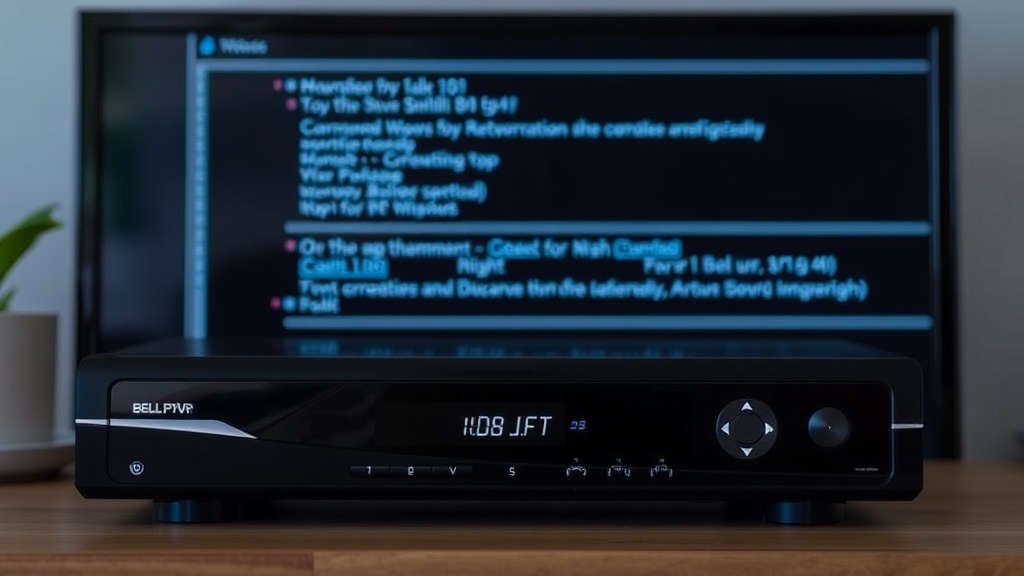
Experiencing a power outage can be disruptive, but nothing is more frustrating than discovering your bell pvr not working after power outage. Whether it’s a sudden blackout or a scheduled outage, your PVR might refuse to turn back on, record, or display content correctly once power is restored. This situation not only hampers your entertainment but can also leave you wondering about the underlying causes and solutions.
Understanding how to troubleshoot these issues effectively can save you time and frustration. In this guide, we’ll explore practical steps to diagnose and resolve problems related to your Bell PVR after a power outage. From simple resets to hardware checks, you’ll learn how to get your device back in working order. So, if you’ve been asking yourself, “What do I do when my bell pvr not working after power outage?” you’re in the right place.
Let’s dive into the common causes and the most effective troubleshooting tips to restore your Bell PVR’s functionality seamlessly.
Understanding the Issue: Bell PVR Not Working After Power Outage
Why Does a Power Outage Affect Your Bell PVR?
Power outages can disrupt the normal functioning of electronic devices, and your Bell PVR is no exception. When power is suddenly cut, the device’s internal components, including software and hardware, may experience issues upon restart. In particular, a bell pvr not working after power outage can be caused by corrupted firmware, a faulty power supply, or incomplete system reboots.
Furthermore, power surges when electricity is restored can damage sensitive circuitry, leading to more severe problems. It’s worth noting that some PVR models are more resilient than others, but in most cases, a sudden power loss affects the device’s ability to initialize correctly.
Common Symptoms of a Bell PVR Not Functioning Properly After Power Loss
- The device turns on but displays a blank or frozen screen.
- Unable to access recorded shows or live TV.
- Continuous reboot loops or error messages.
- No response from remote control or buttons.
- Device remains unresponsive after multiple power cycles.
Recognizing these symptoms early can help you troubleshoot more effectively. In the next sections, we’ll look at specific steps to address the bell pvr not working after power outage.
Initial Checks When Your Bell PVR Isn’t Working After a Power Outage
Verify Power Connection and Circuit Breaker
The first step is to ensure your Bell PVR is properly connected to a power source. Sometimes, a power outage might trip your home’s circuit breaker, preventing the device from receiving power. Check your electrical panel and reset any tripped breakers. Also, inspect the power cord and outlet for visible damage or loose connections.
Consider plugging the PVR into a different outlet to rule out outlet-specific issues. If you’re using a surge protector or power strip, verify that it’s functioning correctly and hasn’t been turned off or damaged.
Inspect the Power Supply Unit (PSU)
The power supply unit inside your Bell PVR might have been affected during the outage or surge. If the device’s LED indicator isn’t lit, or if it remains unresponsive after plugging in, this could point to a faulty PSU. In such cases, replacing or repairing the PSU may be necessary.
Note: For most users, professional assistance is recommended for hardware repairs to avoid further damage.
Perform a Basic Power Cycle
Sometimes, a simple power cycle can resolve minor glitches caused by power fluctuations. To do this:
- Unplug your Bell PVR from the power outlet.
- Wait for at least 30 seconds to allow residual power to dissipate.
- Reconnect the device and press the power button.
This process can help clear temporary errors and reinitialize the system. If the device still exhibits issues, proceed to more advanced troubleshooting steps.
Resetting Your Bell PVR After a Power Outage
How to Perform a Factory Reset
When your bell pvr not working after power outage, performing a factory reset can sometimes restore normal operation. However, be aware that this will erase all recorded content and customized settings.
To reset your device:
- Press and hold the reset button located at the back or underside of your PVR (use a paperclip or similar tool).
- Hold the button for about 10-15 seconds until the device restarts.
- Release the button and wait for the device to complete the reset process.
After the reset, reconfigure your settings and check if the device functions properly. If problems persist, move on to checking hardware components.
Compare Reset Methods: Soft vs. Hard Reset
Soft resets involve simply restarting the device through the menu or remote control, which can resolve minor issues. Hard resets, like the factory reset described above, are more comprehensive and often necessary after severe glitches caused by power outages.
Choosing the right reset method depends on the severity of the problem. For persistent issues like bell pvr not working after power outage, a factory reset is usually the recommended approach.
Power Supply and Circuit Troubleshooting
Evaluating Power Surge Damage
Power surges during outages can damage internal components of your Bell PVR. If after a power outage your device shows signs of physical damage—such as burnt smell, unusual noises, or no lights—it might have been affected by a surge.
In such cases, professional repair or replacement may be necessary. Installing a surge protector can prevent future damage and protect your device during unexpected power fluctuations.
Testing the Power Supply with a Multimeter
If you’re comfortable with electronics, testing the internal power supply with a multimeter can identify faults. However, for most users, this step is best left to qualified technicians. An unreliable power supply often manifests as intermittent power or complete failure to turn on.
Replacing a faulty power supply can resolve issues where your Bell PVR isn’t responding after power loss.
Software and Firmware Troubleshooting
Updating Firmware After a Power Outage
Corrupted firmware is a common culprit when a bell pvr not working after power outage. Check whether your device is displaying error messages related to software or firmware issues. If possible, perform a firmware update via the Bell support website or through your TV settings menu.
Firmware updates can fix bugs, improve stability, and restore functionality affected by abrupt shutdowns. Always ensure your device is connected to a stable internet connection before attempting updates.

Restoring System Settings
Sometimes, restoring default settings can resolve conflicts caused by power outages. Navigate to the system menu and select the ‘Reset’ or ‘Restore Defaults’ option. This process often clears residual errors that prevent the device from functioning correctly.
Be aware that resetting settings might require re-entering your preferences and re-scanning channels.
When to Contact Bell Support for bell pvr not working after power outage
Indicator Signs That Require Professional Assistance
If you’ve tried all troubleshooting steps—checking power sources, resetting the device, updating firmware—and your Bell PVR still isn’t working after a power outage, it may be time to reach out to Bell customer support. Persistent hardware issues, such as a completely unresponsive device or repeated error messages, often need expert diagnosis.
Also, if your device exhibits physical damage or unusual noises, professional repair or replacement might be necessary.
Contacting Bell Support Effectively
When contacting support, provide detailed information about your issue, including symptoms, recent power outage details, and steps you’ve already taken. This information helps technicians offer targeted solutions more efficiently.
Bell offers various support channels—phone, chat, or in-store assistance. Having your device model and serial number ready can expedite the troubleshooting process.
References and Resources
These resources provide valuable information about bell pvr not working after power outage. Check them out for additional insights:
Authoritative Sources on bell pvr not working after power outage
-
Bell Support Center
bell.ca/supportOfficial troubleshooting guides for resolving common Bell PVR issues, including power-related problems and firmware updates.
-
Tech Advisor: Troubleshooting PVRs
techadvisor.comComprehensive articles on PVR hardware and software issues, including recovery steps after power outages.
-
Consumer Reports
consumerreports.orgIndependent testing results and advice on electronic device reliability and troubleshooting.
-
Repair Clinic
repairclinic.comTips on diagnosing hardware issues and locating replacement parts for Bell PVRs affected by power surges.
-
California Consumer Energy Center
consumerenergycenter.orgInformation on protecting electronic devices from power surges and outages.
-
TechRepublic
techrepublic.comExpert advice on firmware updates, device resets, and hardware troubleshooting for cable TV PVRs.
-
CNET
cnet.comReviews and how-to articles on digital TV equipment and troubleshooting common issues.
Frequently Asked Questions
What should I do first if my bell pvr not working after power outage?
Start by verifying the power connection and resetting your device. Ensure your circuit breaker hasn’t tripped, then unplug and reconnect the PVR after 30 seconds. Often, this simple step can resolve minor glitches caused by power fluctuations.
Can a power surge damage my Bell PVR during a blackout?
Yes, power surges when electricity is restored can damage internal components of your Bell PVR. Installing surge protectors is highly recommended to safeguard your device from such voltage spikes and prevent issues like bell pvr not working after power outage.
How do I update my Bell PVR firmware after a power outage?
Check the Bell support website or your device’s settings menu for firmware updates. Ensure your PVR is connected to a stable internet connection, then follow the instructions to download and install any available updates. Firmware updates can fix bugs caused by abrupt shutdowns, restoring normal functionality.
When should I contact Bell customer support?
If your bell pvr not working after power outage persists after trying all troubleshooting steps, or if there’s physical damage or unusual noises, it’s best to contact Bell support. They can diagnose hardware issues and advise on repairs or replacements.
Conclusion
Dealing with a bell pvr not working after power outage can be frustrating, but with systematic troubleshooting, most issues can be resolved quickly. The key is to start with simple checks—power sources, resets, and firmware updates—and then move to hardware evaluations if problems persist. Remember, power surges and outages can impact your device’s internal components, so taking preventive measures like surge protectors is wise.
Ultimately, understanding the common causes and solutions empowers you to restore your Bell PVR’s functionality efficiently. If all else fails, professional support is your best bet to avoid further damage and ensure seamless viewing experiences in the future.

Find out more information about “bell pvr not working after power outage”
Search for more resources and information:
Similar Posts
Troubleshooting Tips to Resolve the Telus Doorbell Camera Not Working No Light Issue and Enhance Home Security
The telus doorbell camera not working no light can be frustrating, especially when you rely on it for home security.
Transform Your Wi-Fi Experience with a Telus Extender: Enhance Coverage, Eliminate Dead Zones, and Stay Connected Seamlessly
In today’s connected world, a reliable Wi-Fi network is essential for work, entertainment, and staying in touch.
Transform Your Home Internet Experience with Telus Fibre Installation: Fast, Reliable, and Future-Ready Connectivity
In today’s digital age, a reliable and speedy internet connection is more than just a convenience—it’s a necessity.
Is Telus Fibre Down? Discover How to Stay Connected and Get Back Online Fast
Telus Fibre is renowned for providing high-speed, reliable internet connections across Canada, especially in urban and suburban areas.
Does Telus Rely on Rogers Towers? Uncover the Truth Behind Your Mobile Coverage and Connectivity Reliability
When it comes to mobile coverage and connectivity, many Canadians wonder, does telus use rogers towers? This question is particularly relevant for consumers…