Telus esim compatibility demystified: How to ensure your device is ready for effortless switching and unlimited connectivity
Introduction
In an era where instant connectivity is paramount, understanding telus esim compatibility has become essential for smartphone users eager to switch seamlessly between carriers or upgrade their devices. The rise of eSIM technology promises a future free from physical SIM cards, but compatibility issues can sometimes hinder this transition. If you’re wondering whether your device can support Telus’s eSIM services, you’re not alone. Many users face uncertainty about device compatibility, activation procedures, and potential limitations.
Imagine upgrading to a newer device or traveling abroad—being confident that your device is telus esim compatible can save time, reduce frustration, and unlock unlimited connectivity options. This comprehensive guide will demystify the intricacies of telus esim compatibility, providing you with clear steps, tips, and insights to ensure your device is ready for effortless switching and unlimited connectivity. Whether you’re a tech novice or a seasoned pro, understanding this topic is key to maximizing your mobile experience.
Understanding Telus eSIM Compatibility
The foundation of telus esim compatibility lies in the device’s hardware capabilities and software support. Unlike traditional SIM cards, eSIMs are embedded chips that allow remote SIM provisioning, making device switching more convenient. But not all devices are built to support this technology, which means some users might face hurdles when trying to activate Telus’s eSIM services.
What is an eSIM?
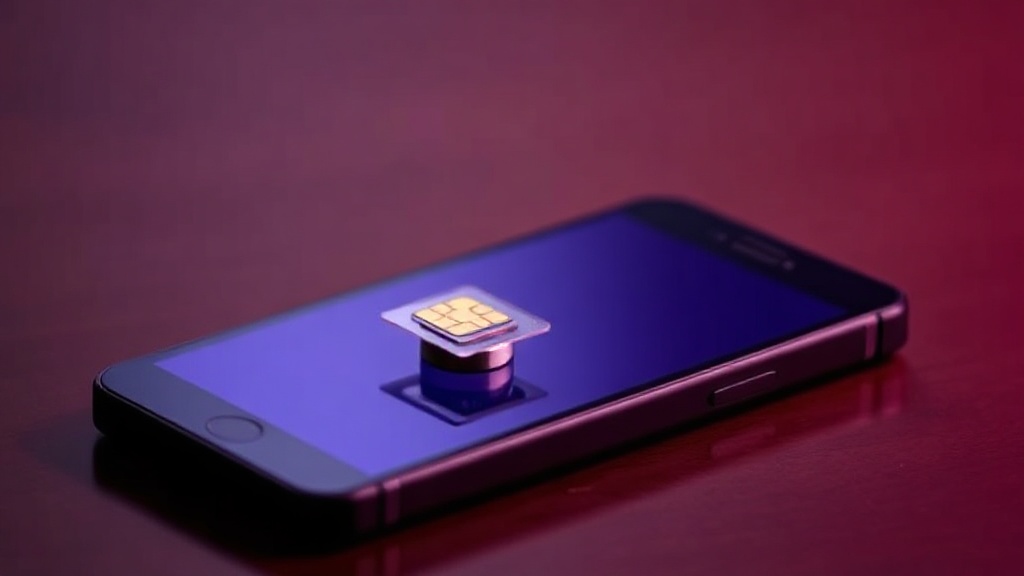
An eSIM, or embedded SIM, is a digital SIM that resides inside your device. It eliminates the need for physical SIM cards, enabling instant carrier switching, easier device management, and a more streamlined user experience. For Telus, supporting eSIM technology means offering customers flexibility, especially with newer smartphones and IoT devices.
Device Requirements for Telus eSIM Compatibility
- Supported Operating Systems: Devices must run on recent versions of Android or iOS that support eSIM functionality.
- Hardware Support: The device needs an eSIM chip integrated into its hardware, which is common in flagship models from Apple, Google, Samsung, and others.
- Carrier Lock Status: Unlocked devices are generally more compatible, but some carrier-locked devices might also support eSIM with specific configurations.
- Regional Availability: Telus’s telus esim compatibility can vary depending on the region and device model.
Research shows that device compatibility is a critical factor, with recent flagship models increasingly supporting eSIM technology. However, confirming telus esim compatibility before purchase or activation remains a vital step to avoid surprises.
How to Check If Your Device Supports Telus eSIM
Determining whether your device supports telus esim compatibility is straightforward but requires attention to detail. Here are practical methods to verify whether your phone or device is ready for eSIM activation with Telus.
Check Device Specifications
The most reliable way to confirm telus esim compatibility is by inspecting your device’s specifications. Visit the manufacturer’s website or consult your user manual to see if eSIM support is listed. For example, recent iPhone models from the iPhone XR onwards, Google Pixel 3 and newer, and Samsung Galaxy S20 and newer are generally compatible.
Use Device Settings
- Navigate to your device’s settings menu.
- On iOS, go to Settings > Cellular or Mobile Data > Add Cellular Plan.
- On Android, go to Settings > Network & Internet > Mobile Network > Add carrier.
- If the option to add a cellular plan appears, your device likely supports telus esim compatibility.
Consult Telus Support
When in doubt, contacting Telus customer support or visiting their official website can provide definitive answers. They often maintain a list of supported devices and can advise on specific models or regional restrictions.
Steps to Activate Telus eSIM on Your Device
Activating an telus esim involves a few simple steps, but ensuring your device’s compatibility beforehand streamlines the process significantly.
Step-by-Step Activation Guide
- Verify Compatibility: Confirm your device supports telus esim compatibility.
- Obtain eSIM QR Code: Contact Telus or access your account online to get the eSIM activation QR code.
- Access eSIM Settings: Open your device’s settings and navigate to the eSIM or cellular plan section.
- Scan QR Code: Use your device camera to scan the provided QR code.
- Follow On-Screen Instructions: Complete the setup by following prompts, which may include entering a confirmation code.
- Activate and Test: Once activated, test your connectivity by making a call or browsing the internet.
For devices with telus esim compatibility, this process is typically swift, allowing you to switch carriers or activate a new plan without visiting a store or inserting a physical SIM card.
Common Issues and How to Troubleshoot Telus eSIM Compatibility
Device Not Recognized or Unsupported
If your device isn’t recognized or the option to add a cellular plan doesn’t appear, it might lack telus esim compatibility. Ensure your device is on the list supported by Telus or check for software updates that may enable eSIM support.
Activation Failures
- Double-check the QR code for accuracy.
- Ensure your device is unlocked and not restricted by carrier lock settings.
- Update your device to the latest firmware version.
- If problems persist, contact Telus support for assistance.
Physical vs. Digital Transition
Some users encounter issues when transitioning from a physical SIM to an eSIM. It’s beneficial to back up your data and ensure your device’s software is fully up-to-date to support telus esim compatibility.
Future Trends in Telus eSIM Compatibility and Connectivity
The landscape of telus esim compatibility is rapidly evolving. Industry forecasts suggest a significant increase in device support, driven by advancements in 5G, IoT, and smart devices. Telus is investing heavily in expanding its eSIM ecosystem, promising users more seamless switching options and unlimited connectivity across devices.
As more manufacturers integrate eSIM support into their flagship models, the barrier to telus esim compatibility diminishes. Additionally, the shift toward multi-profile eSIMs allows users to manage multiple plans on a single device, enhancing flexibility and convenience. Keeping an eye on firmware updates and device releases will help ensure your devices remain compatible with Telus’s evolving eSIM infrastructure.
References and Resources
These resources provide valuable information about telus esim compatibility. Check them out for additional insights:

Authoritative Sources on telus esim compatibility
-
Telus Official eSIM Support Page
telus.comOfficial guidelines on telus esim compatibility, supported devices, and activation instructions.
-
Apple Developer – eSIM Technology
apple.comDetails on iPhone and iPad eSIM support, ensuring compatibility with Telus and other carriers.
-
Samsung Galaxy S20 5G Specifications
samsung.comIncludes details on device support for eSIM technology, relevant for Telus users.
-
GSMA – eSIM Specifications
gsma.comIndustry standards and future outlooks for telus esim compatibility and global deployment.
-
TechRadar – What is an eSIM?
techradar.comComprehensive overview of eSIM technology, its advantages, and compatibility considerations.
-
Android Authority – eSIM Phones List
androidauthority.comList of Android devices supporting eSIM, useful for verifying telus esim compatibility.
-
CNET – eSIM Explained
cnet.comInsights into the benefits of eSIMs and how they impact carrier compatibility.
Frequently Asked Questions
How can I verify if my device is telus esim compatible?
Check your device specifications for eSIM support, navigate to device settings to see if the option to add a cellular plan appears, or consult official Telus resources. Devices like iPhone XR and newer, Google Pixel 3 and above, and recent Samsung Galaxy models are generally compatible.
What should I do if my device isn’t showing eSIM options?
Ensure your device supports telus esim compatibility, update your firmware, and verify that the device is unlocked. If issues persist, contact Telus support to confirm compatibility and obtain activation assistance.
Can I use the same eSIM profile on multiple devices?
Typically, an eSIM profile is device-specific. However, some carriers and devices support multiple profiles, allowing you to switch between plans or devices easily. Check with Telus and your device manufacturer for specific capabilities related to telus esim compatibility.
What are the primary benefits of using an eSIM with Telus?
Benefits include effortless carrier switching, reduced physical SIM dependency, faster activation, and the ability to manage multiple plans on a single device. For those interested in telus esim compatibility, these advantages make mobile connectivity more flexible and efficient.
Conclusion
Understanding telus esim compatibility is key to unlocking the full potential of modern mobile devices. As technology advances, the shift toward eSIMs will continue to grow, making seamless switching and unlimited connectivity more accessible than ever. Ensuring your device supports telus esim compatibility not only simplifies activation but also future-proofs your connectivity options.
Whether you’re upgrading your device or switching carriers, verifying compatibility upfront is essential. With the right device and a few simple steps, you can enjoy the convenience of digital SIMs and stay connected effortlessly. Embrace the future of mobile technology today by ensuring your device is telus esim compatible, and experience a new level of connectivity freedom.

Find out more information about “telus esim compatibility”
Search for more resources and information: