Solve the Telus Smart Hub No WiFi Issue: Expert Tips to Restore Your Connection Quickly
Understanding the telus smart hub no wifi Issue
Getting your internet back online is crucial, especially when work-from-home, streaming, or online learning depend heavily on a stable connection. If you’ve encountered the frustrating telus smart hub no wifi problem, you’re not alone. Many users face this issue due to a variety of causes, from simple misconfigurations to hardware malfunctions. Recognizing the root of the problem is the first step toward swift recovery.
The reality is, when the Telus Smart Hub displays no WiFi connectivity, it can be caused by issues like outdated firmware, interference, or network outages. Sometimes, the problem stems from an internal glitch that requires a quick reset, while other times, it’s linked to external factors like service disruptions or environmental interference.
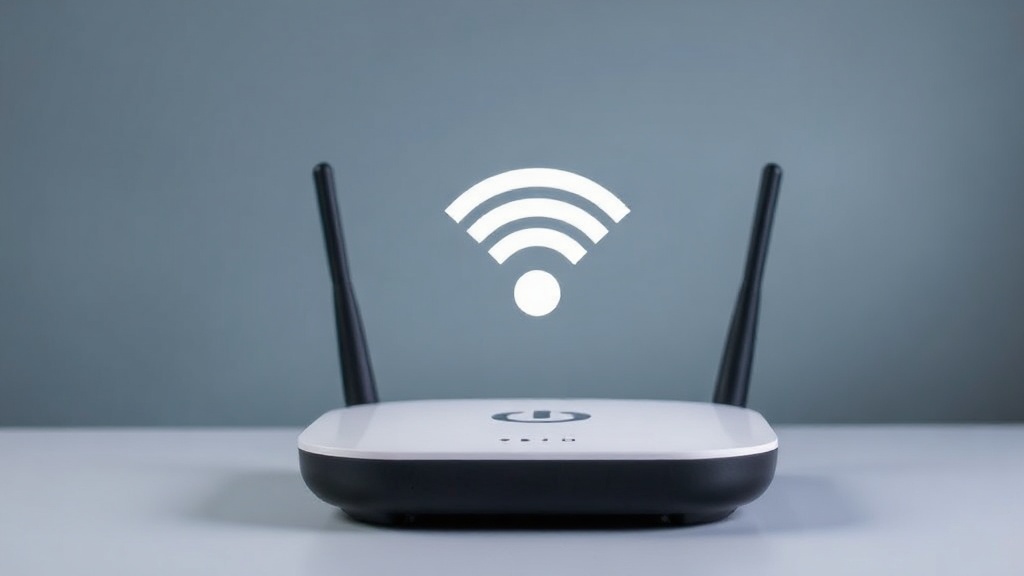
Understanding how your Telus Smart Hub works helps clarify why the telus smart hub no wifi issue occurs. Typically, the device acts as the central point for your home network, connecting multiple devices to the internet. When the WiFi indicator is off or shows an error, it indicates the device isn’t transmitting a wireless signal properly.
In this article, we’ll explore expert tips to troubleshoot and resolve the telus smart hub no wifi problem quickly, ensuring you regain your internet connection with minimal fuss. Whether you’re dealing with a temporary glitch or a more persistent issue, these strategies will help restore your connectivity efficiently.
Troubleshooting the telus smart hub no wifi
When your Telus Smart Hub isn’t providing WiFi, a systematic troubleshooting approach can often resolve the problem. Here are step-by-step tips to diagnose and fix the telus smart hub no wifi issue effectively.
Check Physical Connections and Power
– Ensure the power cable is securely plugged into the device and the outlet.
– Verify that the power outlet is functioning by testing with another device.
– Look for any visible signs of damage or overheating on the hub.
– If the device isn’t powering on, try using a different power adapter or outlet.
Restart the Telus Smart Hub
– Sometimes, a simple restart can solve temporary glitches causing telus smart hub no wifi.
– To do this: unplug the device, wait 30 seconds, then plug it back in.
– Wait a few minutes for the device to fully reboot and check if the WiFi indicator appears.
Verify Internet Service Status
– Service outages are common causes of telus smart hub no wifi.
– Visit Telus’ official status page or contact customer support to confirm if there’s a known outage.
– If there’s an outage, you might need to wait until the service is restored.
Check for Interference and Placement
– Physical obstacles like thick walls or electronic interference from microwaves or cordless phones can disrupt WiFi signals.
– Place the hub in a central, open location away from potential interference sources.
– Consider repositioning or elevating the device for better coverage.
Update Firmware and Reset Settings
– Outdated firmware can cause connectivity issues, including telus smart hub no wifi.
– Access the admin panel via a wired connection or Ethernet cable and check for updates.
– If updates are available, install them.
– For persistent issues, perform a factory reset (noting this will erase custom settings). Follow the device’s manual instructions for reset procedures.
Advanced Solutions for telus smart hub no wifi
If basic troubleshooting doesn’t resolve the telus smart hub no wifi problem, consider these advanced solutions:
Configure Network Settings Correctly
– Login to the hub’s admin interface.
– Ensure DHCP is enabled to automatically assign IP addresses.
– Check for any IP conflicts that might be preventing WiFi connectivity.
– Reset security settings if they’re misconfigured, especially after firmware updates.
Replace or Upgrade Hardware
– Older models or damaged devices may struggle with connectivity.
– Consider upgrading to a newer Telus Smart Hub model that supports the latest standards (e.g., WiFi 6).
– If your device shows physical damage, replacing it might be the most effective solution.
Compare with a Wired Connection
– Test your internet connection via Ethernet cable.
– If wired internet works but WiFi doesn’t, the problem is isolated to wireless configuration.
– This can help determine whether the issue is hardware or settings-related.
Optimize Your Network Environment
– Use WiFi analyzers to identify optimal channels and reduce interference.
– Change your WiFi channel settings to less congested frequencies.
– Enable dual-band (2.4 GHz and 5 GHz) for better performance.
Consult Telus Support or a Technician
– Sometimes, issues require professional diagnosis.
– Contact Telus customer service for remote assistance or schedule an onsite technician visit.
– They can perform comprehensive diagnostics and repairs, especially if hardware failure is suspected.
Preventive Measures and Tips for Maintaining WiFi Stability
Prevention is better than cure, especially for issues like telus smart hub no wifi. Here are some proactive steps:
– Regularly update firmware and device software.
– Keep the hub in a central, unobstructed location.
– Minimize electronic interference by avoiding placing the hub near microwaves or cordless phones.
– Change WiFi channels periodically to avoid congestion.
– Use strong, unique passwords to prevent unauthorized access.
– Monitor your network performance and address issues promptly.
By following these tips, you can reduce the chances of encountering persistent telus smart hub no wifi problems and ensure a reliable internet experience.
Frequently Asked Questions
Frequently Asked Questions
Why does my Telus Smart Hub keep losing WiFi connection?
Frequent disconnections can be caused by interference, outdated firmware, physical obstructions, or service outages. Performing routine troubleshooting, such as rebooting the device and updating firmware, often resolves this issue. If problems persist, a hardware upgrade or professional support may be necessary.
How can I fix telus smart hub no wifi without calling support?
Start with basic steps like restarting the hub, checking physical connections, and verifying service status. Updating firmware and resetting network settings can also help. For more stubborn issues, adjusting placement or upgrading hardware might be required.
Can environmental interference cause telus smart hub no wifi?
Yes, physical obstacles and electronic interference from devices like microwaves or cordless phones can disrupt WiFi signals. Proper placement of your hub in an open, central location can significantly improve connectivity.
What should I do if my firmware is outdated?
Access the hub’s admin panel via a wired connection, check for available firmware updates, and install them. Keeping firmware current ensures compatibility and fixes known bugs that may cause telus smart hub no wifi issues.
When should I consider replacing my Telus Smart Hub?
If your device is physically damaged, outdated, or consistently fails to provide stable WiFi despite troubleshooting, replacement may be the best solution. Modern models support advanced features like WiFi 6, offering better coverage and speed.
Conclusion
Dealing with telus smart hub no wifi can be frustrating, but with a structured approach, most issues are resolvable quickly. From simple resets and firmware updates to environmental adjustments and professional support, there are multiple avenues to restore your wireless connection.
Understanding the common causes of the telus smart hub no wifi problem empowers you to troubleshoot effectively and prevent future disruptions. Whether you’re a tech novice or a seasoned user, these expert tips ensure you’re well-equipped to handle connectivity hiccups swiftly. Remember, maintaining your device and environment can go a long way in ensuring a stable, high-speed internet experience. Next time you face the telus smart hub no wifi issue, you’ll know exactly what steps to take for a quick resolution.
References and Resources
These resources provide valuable information about telus smart hub no wifi. Check them out for additional insights:
Authoritative Sources on telus smart hub no wifi
-
Telus Support: Internet Troubleshooting
telus.comOfficial support page offering detailed guides on resolving telus smart hub no wifi issues, firmware updates, and device configurations.
-
Best WiFi Routers of 2023
cnet.comComparison of latest WiFi routers, including features that influence stability and coverage, crucial for resolving telus smart hub no wifi.

-
FCC Guide on Wireless Interference
fcc.govProvides insights into environmental factors affecting WiFi performance, helpful for understanding interference issues with telus smart hub no wifi.
-
Best WiFi Extenders for 2023
techradar.comAdvice on boosting WiFi coverage, especially when dealing with weak signals that might cause telus smart hub no wifi issues.
-
HowToGeek: Network Troubleshooting
howtogeek.comComprehensive guides on troubleshooting WiFi problems, including telus smart hub no wifi issues.
-
Best WiFi Adapters
microsoft.comResource for upgrading your device’s WiFi capabilities, potentially fixing telus smart hub no wifi issues caused by hardware limitations.
-
Reddit Telus Community
reddit.comCommunity discussions about common problems and solutions related to telus smart hub no wifi, offering peer support and insights.
Final Thoughts on telus smart hub no wifi
Troubleshooting telus smart hub no wifi may seem daunting at first, but most issues are manageable with a systematic approach. From verifying physical connections to updating firmware or consulting experts, each step increases your chances of quick resolution. Remember, environmental factors and outdated hardware can also play a role in persistent problems, so staying proactive is key.
By applying these expert tips and utilizing available resources, you can ensure a stable, high-quality internet connection. Whether it’s a temporary glitch or a hardware upgrade, taking decisive action will help minimize downtime and keep your digital life running smoothly. The key is to stay informed, patient, and ready to troubleshoot, ensuring that telus smart hub no wifi no longer disrupts your online activities.

Find out more information about “telus smart hub no wifi”
Search for more resources and information: