Unlock the Secrets Behind Your TV Going to a Black Screen and How to Fix It Quickly
Have you ever pressed the power button, only to be greeted with a blank, black screen instead of your favorite show? If so, you’re not alone. Many TV owners face the frustrating question, why does my tv go to a black screen unexpectedly. This common issue can stem from various factors, ranging from simple connection problems to hardware failures. Understanding the root causes is the first step toward fixing the problem quickly and effectively.
The question why does my tv go to a black screen often leaves users confused, especially when they’ve checked the power supply or tried remote resets without success. In this article, we’ll explore the most likely causes, practical troubleshooting steps, and preventative measures to help you restore your TV to its full functionality. If you’re wondering why does my tv go to a black screen and how to fix it, keep reading—you’re about to uncover the secrets behind this common problem.
Understanding why does my tv go to a black screen
What does a black screen indicate?
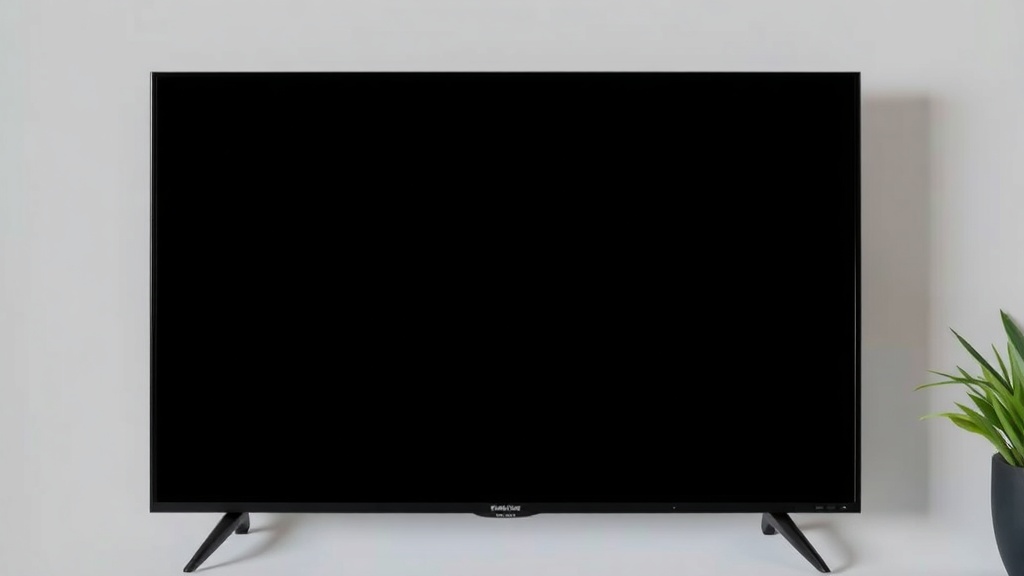
When your TV unexpectedly displays a black screen, it usually signals an issue with the signal source, internal hardware, or settings. This isn’t necessarily a sign of total failure, but it often requires diagnostics to pinpoint the exact cause. The key question is why does my tv go to a black screen in your specific situation, as causes can vary widely—from loose connections to software glitches.
Common reasons for a black screen
- Loose or damaged HDMI or AV cables
- Incorrect input source selected
- Software or firmware glitches
- Hardware failure in the display panel or internal components
- Power supply issues or surges
- Backlight or inverter problems
Identifying why does my tv go to a black screen involves checking each of these areas systematically to isolate the root cause. For example, if your TV’s power indicator is on but the screen remains black, it could point to backlight issues or a faulty display panel.
Common causes of a black screen on your TV
Hardware issues leading to why does my tv go to a black screen
Hardware problems are among the most serious causes. For instance, a failing backlight inverter or LED strip can cause the screen to remain dark even if the TV is powered on. Similarly, issues with the mainboard or T-Con board can disrupt video signal processing, resulting in a black display.
In some cases, internal components may suffer damage due to power surges, overheating, or manufacturing defects. For example, older plasma TVs are more prone to backlight failure, which appears as a black screen despite the TV being powered on.
Connection and input problems
Often, why does my tv go to a black screen is simply due to loose or faulty cables. HDMI, component, or VGA connections can become loose or damaged over time, interrupting the signal. Additionally, selecting the wrong input source or an outdated HDMI handshake can cause the screen to go black unexpectedly.
- Check and re-seat all cables
- Switch between input sources to test
- Test with different cables or devices
- Ensure the correct input is selected on your remote
These simple connection checks often resolve the mystery of why does my tv go to a black screen.
Step-by-step troubleshooting for why does my tv go to a black screen
Initial quick fixes
- Power cycle your TV: Turn it off, unplug for 60 seconds, then plug back in and turn on.
- Test different inputs: Switch HDMI or AV ports to see if the issue persists.
- Check remote controls: Sometimes, the TV might be on mute or the brightness is set too low.
- Try a different device: Connect a different cable or device to determine if the problem lies with the source.
If these steps do not resolve why does my tv go to a black screen, proceed to more advanced diagnostics.
Deeper hardware diagnostics
- Inspect the power supply: Look for flickering lights or unusual sounds—these can indicate power issues.
- Test the backlight: Shine a flashlight on the screen; if you see images faintly, the backlight may be faulty.
- Reset firmware/software: Access the settings menu and perform a factory reset or update firmware.
- Professional repair: If hardware failure is suspected, consult a technician for component testing and replacement.
Remember, why does my tv go to a black screen can sometimes be due to a combination of issues, making professional diagnosis the safest route for complex problems.
Preventative tips and maintenance
Keep your TV in good condition
Regular maintenance can significantly reduce the chances of encountering a why does my tv go to a black screen. For example:
- Avoid power surges by using surge protectors
- Keep vents clear to prevent overheating
- Update firmware periodically to fix bugs and improve stability
- Use high-quality cables and connectors
- Handle cables gently to prevent internal damage
In addition, scheduling regular cleaning and inspections can extend your TV’s lifespan and minimize unexpected black screens.
When to seek professional help
If troubleshooting doesn’t resolve why does my tv go to a black screen, or if you notice signs of internal hardware failure, such as flickering or unusual noises, it’s best to contact a certified technician. Attempting repairs without proper knowledge can cause further damage or void warranties.
Understanding the common causes and following systematic troubleshooting steps can save you time and money, ensuring your entertainment isn’t disrupted for long. Remember, why does my tv go to a black screen is often fixable with patience and the right approach.
References and Resources
These resources provide valuable information about why does my tv go to a black screen. Check them out for additional insights:
Authoritative Sources on why does my tv go to a black screen
-
Consumer Reports: Troubleshooting TV Black Screen Issues
consumerreports.orgProvides comprehensive steps on diagnosing and fixing black screen problems, including hardware and software solutions.

-
LifeWire: How to Fix a TV That Shows a Blank Screen
lifewire.comOffers practical troubleshooting tips, including connection checks and firmware updates.
-
HowStuffWorks: Understanding TV Troubleshooting
howstuffworks.comIn-depth explanations of TV components and common issues that cause black screens.
-
Tech Advisor: Fixing Black Screen Problems
techadvisor.comGuides on diagnosing hardware vs. software causes and when to seek professional repair.
-
CNET: Why Does My TV Go Black When I Turn It On?
cnet.comAnalysis of common reasons behind startup black screens and tips for quick fixes.
-
TechRadar: How to Fix a TV That Shows a Black Screen
techradar.comTips on hardware troubleshooting and maintenance to prevent future black screen issues.
-
HowToGeek: Fixing a Black Screen on Your TV
howtogeek.comStep-by-step guides and common diagnoses for resolving black screen issues.
-
Digital Trends: How to Fix a TV That Shows a Blank Screen
digitaltrends.comExpert advice on diagnosing hardware and software issues causing black screens.
Frequently Asked Questions
Why does my TV go to a black screen when I turn it on?
This issue often occurs due to faulty backlight components, loose cables, or firmware glitches. It’s important to check connections first and consider hardware diagnostics if the problem persists. Understanding why does my tv go to a black screen helps narrow down the root cause.
What are the most common reasons for a black screen on a smart TV?
Common causes include software bugs, incorrect input selection, loose or damaged cables, and hardware failures such as backlight or inverter issues. Regular updates and connection checks can often prevent why does my tv go to a black screen.
Can a firmware update fix a black screen problem?
Yes, firmware updates can resolve bugs that cause black screens, especially after recent software releases. Always ensure your TV’s firmware is current to minimize the risk of why does my tv go to a black screen caused by software issues.
When should I seek professional repair for why does my tv go to a black screen?
If troubleshooting steps fail to resolve why does my tv go to a black screen, or if you notice signs of hardware damage like flickering or strange noises, professional repair is advisable. Attempting complex repairs without expertise can worsen the issue.
Conclusion
In summary, the question why does my tv go to a black screen is common but often solvable with a methodical approach. Whether it’s a simple connection issue, a software glitch, or a hardware failure, understanding the underlying causes helps streamline the troubleshooting process.
By following the steps outlined above, you can often restore your TV quickly and avoid unnecessary repairs. Remember, addressing why does my tv go to a black screen promptly can extend the lifespan of your device and improve your overall viewing experience. When in doubt, consulting a professional ensures a safe and effective fix, bringing your entertainment back to life in no time.

Find out more information about “why does my tv go to a black screen”
Search for more resources and information: