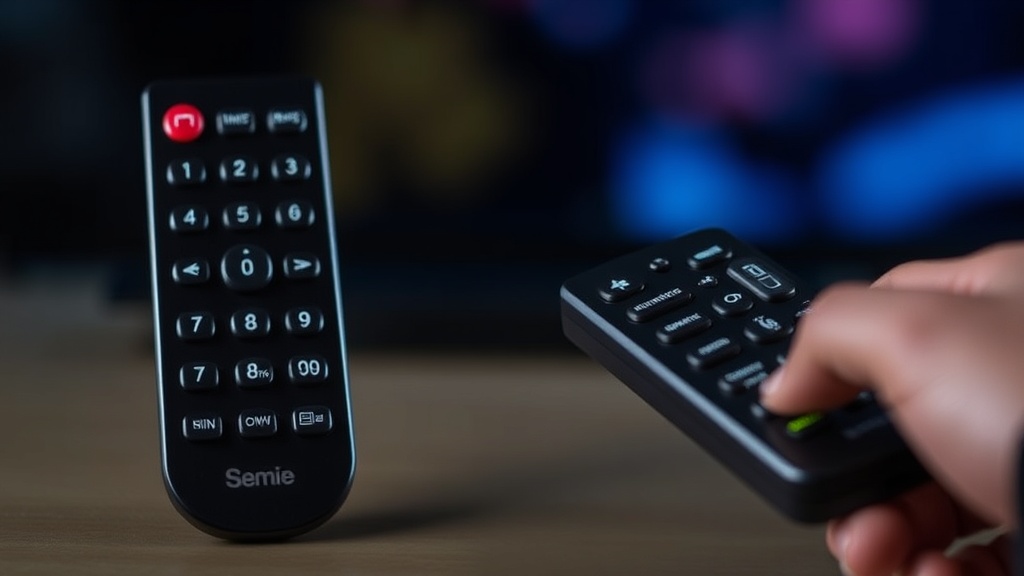
Is Your Remote Unresponsive? Discover Surprising Reasons Why It’s Not Working and Quick Solutions to Get It Back in Action
Understanding Why Is My Remote Not Working
Have you ever faced that frustrating moment when your remote control suddenly stops responding? If you’re asking, why is my remote not working, you’re not alone. Remote controls are integral to our daily entertainment and device management, yet their failure can seem mysterious and perplexing. This article aims to shed light on the underlying reasons behind unresponsive remotes and provide practical solutions to restore their functionality.
The question why is my remote not working can stem from various causes, ranging from simple battery issues to more complex electronic malfunctions. Understanding these reasons helps troubleshoot effectively and avoid unnecessary replacements or repairs. Whether it’s a TV remote, a universal controller, or a smart device remote, the core principles of troubleshooting remain similar.
In this guide, we’ll explore the common causes, quick fixes, and preventive tips to keep your remote functioning smoothly. By the end, you’ll have a comprehensive understanding of why is my remote not working and how to fix it efficiently.
Common Causes of Remote Control Failures
Identifying the root cause of a remote control problem is crucial. Here are some typical reasons that may explain why is my remote not working:
Battery Problems
One of the most frequent culprits behind an unresponsive remote is dead or improperly installed batteries. Many users overlook this simple fix, assuming the remote is broken. Always check the battery compartment for corrosion, low charge, or incorrect placement. Replacing batteries with fresh, high-quality ones often solves the issue instantly.
Obstructions and Line of Sight Issues
Infrared (IR) remotes require a clear line of sight to the device. Objects, furniture, or dirt on the sensor can block signals. Additionally, viewing the remote directly at the device’s IR sensor is essential. For example, if your TV isn’t responding, ensure there are no obstacles between the remote and the TV sensor.
Remote Damage or Wear and Tear
Physical damage, such as cracked casings or broken buttons, can impair remote functionality. Over time, buttons may become unresponsive due to dirt buildup or mechanical failure. Consider inspecting your remote for visible damage or debris.
Infrared or Radio Frequency Interference
External devices like fluorescent lights, wireless routers, or other remotes operating on similar frequencies can interfere with your remote’s signals. If you notice unresponsiveness only when certain appliances are active, interference might be the issue.
Device Compatibility or Firmware Issues
Sometimes, the remote might be incompatible with the device or require software updates. For smart remotes or universal controllers, ensure firmware is current. Outdated software can cause communication failures, leading to the question why is my remote not working in certain situations.
Troubleshooting Steps for why is my remote not working
Effective troubleshooting involves a systematic approach. Here are step-by-step solutions to diagnose and fix common remote issues:
Step 1: Check the Batteries
– Remove the remote’s back cover.
– Inspect the batteries for corrosion or leakage.
– Replace with new, high-quality batteries.
– Test the remote again.
Sometimes, a simple battery replacement can resolve the problem, making you wonder why is my remote not working despite seemingly minor issues.
Step 2: Ensure Line of Sight and Clear Path
– Remove any objects blocking the sensor.
– Clean the IR sensor on both the remote and the device.
– Use the remote within the recommended distance (typically 5-10 meters).
– Test again.
If the remote still doesn’t respond, consider that interference or damage may be at play.
Step 3: Test the Remote with a Camera
– Use your smartphone camera.
– Point the remote at the camera lens.
– Press any button.
– If you see a flashing light on the camera screen, the remote’s IR LED is emitting signals.
– If no light appears, the remote’s IR emitter may be faulty.
This test helps answer why is my remote not working—particularly whether it’s a remote or device issue.
Step 4: Reset or Reprogram the Remote
– For universal remotes, reprogram or re-pair with the device.
– Follow manufacturer instructions for resetting.
– Update firmware if available.
– Attempt to reconnect.
In some cases, the remote’s internal software glitch causes unresponsiveness, which a reset can fix.
Step 5: Test the Device
– Try controlling the device with another remote.
– Use the device’s physical buttons.
– Confirm the device is powered on and functioning correctly.
If the device responds but not with your remote, the remote is likely the issue, and further repair or replacement may be needed.
Preventive Measures and When to Seek Professional Help
Maintaining your remote’s health can prevent many issues associated with why is my remote not working. Regularly clean the buttons, store batteries in a cool, dry place, and avoid dropping the remote.
However, if you’ve tried all troubleshooting steps and still wonder why is my remote not working, it might be time to seek professional repair services or consider replacing the remote entirely. Particularly for smart remotes with complex circuitry, professional diagnostics can identify hardware failures that are not user-serviceable.
Furthermore, newer devices may require firmware updates or compatibility checks, which technicians can assist with. Remember, persistent issues could indicate underlying hardware problems that are beyond simple fixes.
References and Resources
These resources provide valuable information about why is my remote not working. Check them out for additional insights:
Authoritative Sources on why is my remote not working
-
Remote Control Troubleshooting
CNET.comComprehensive guide on common remote issues, including batteries, line of sight, and interference, helping answer why is my remote not working.
-
How Remote Controls Work
HowStuffWorks.comExplains the technology behind remote controls, including IR and RF signals, and common failure points.
-
TV Remote Troubleshooting
Consumer ReportsPractical tips for diagnosing and repairing TV remotes, including when to replace batteries or consider replacements.
-
Fixing Your Remote Control
TechAdvisor.comStep-by-step solutions for remote control issues, including resetting remotes and troubleshooting interference.
-
Troubleshooting Remote Controls
LifeWire.comDetailed troubleshooting tips, including testing IR signals with a camera and cleaning remote buttons.
-
Repairing Your TV Remote
TechRadar.comExpert advice on diagnosing hardware issues and when to replace or repair remote controls.
-
How to Fix a Remote Control
TechHive.comPractical repair tips and troubleshooting for remote control issues across various devices.
-
Remote Control Troubleshooting Guide
Consumer.org.nzA helpful guide for troubleshooting remote issues, including cleaning and checking batteries.
Frequently Asked Questions
Why is my remote not working even with new batteries?
If your remote still isn’t responding after replacing batteries, the issue could be with the remote’s internal circuitry or the IR emitter. In such cases, testing with a camera can help determine if the remote is emitting signals. If not, professional repair or replacement may be necessary.

How can I tell if my remote’s IR sensor is faulty?
Use your smartphone camera to test the remote. Point the remote at the camera and press a button. If you see a flashing light, the IR emitter works. If not, the remote’s sensor or emitter might be faulty, requiring repair or replacement.
What should I do if my remote is physically damaged?
Physical damage can impair remote functions. First, assess whether buttons are stuck or broken. If the damage is minor, cleaning or repairing the casing might help. Severe damage usually warrants replacing the remote control to ensure reliable operation.
Why is my remote not working during interference-heavy times?
External interference from other RF or IR devices can disrupt signals. Try removing or turning off nearby electronic devices, or switch to a different remote frequency if possible. Ensuring minimal interference can restore proper functioning.
When should I replace my remote instead of repairing it?
If your remote is extensively damaged, unresponsive despite troubleshooting, or the cost of repair approaches or exceeds replacement, consider buying a new remote. Modern remotes often have improved features and durability, making replacement a practical choice.
Conclusion
Understanding why is my remote not working is essential for effective troubleshooting and quick resolution. Often, simple issues like dead batteries or obstructed sensors are the culprits, but sometimes the problem runs deeper, involving hardware failures or interference.
By following systematic steps and preventive tips, you can significantly reduce the chances of future remote failures. Remember, persistent problems may require professional assistance or replacement, especially if hardware damage is involved. Being proactive about remote maintenance ensures smoother device operation and minimizes frustration.
Next time your remote acts up, take a moment to diagnose the cause. With the right knowledge, you’ll turn a frustrating situation into a quick fix, restoring your entertainment experience in no time.

Find out more information about “why is my remote not working”
Search for more resources and information: