Troubleshooting Guide: What to Do When Your Modem Is Not Working After a Power Outage and How to Restore Connection Quickly
Introduction
Few disruptions are as frustrating as experiencing a sudden loss of internet connectivity after a power outage. If you’ve ever found yourself asking, “Why is my modem not working after power outage?” you’re not alone. Power outages can have unpredictable effects on your home network, often leaving your modem or router in a non-responsive state. Understanding what steps to take can make all the difference in restoring your connection swiftly.
In this comprehensive guide, we’ll explore practical solutions to troubleshoot the modem not working after power outage issue. Whether you’re a tech novice or a seasoned user, these tips will help you identify the root cause and get back online with minimal hassle. Let’s dive into the common reasons behind this problem and effective ways to resolve it quickly.
Understanding the modem not working after power outage
Common Causes of a Modem Not Working After Power Outage
The reality is, power outages disrupt more than just your lights—they can also cause your modem to malfunction or stop responding altogether. When electricity is restored, some modems fail to reboot properly, resulting in a modem not working after power outage. This can be due to several factors:
- Residual power surges damaging internal components
- Incomplete or failed reboot processes
- Loose or disconnected cables during the outage or power restoration
- Firmware glitches triggered by sudden power loss
- Electrical issues within the outlet or power strip
Understanding these causes helps in diagnosing the problem accurately. For example, if your modem’s indicator lights are off or blinking abnormally, it signals a power or connection issue that needs addressing before proceeding with further troubleshooting.
Step-by-step Troubleshooting When Your Modem Is Not Working After a Power Outage
1. Confirm Power Supply and Outlet Functionality
Before diving into complex fixes, verify that your power source is operational. Sometimes, the problem is as simple as a tripped circuit breaker or a faulty outlet. Consider these steps:
- Check if other devices plugged into the same outlet are working.
- Reset the circuit breaker if necessary.
- Test the outlet with a different device or use a multimeter for accuracy.
If the outlet is dead, switch to a different one or consult an electrician for repairs.
2. Power Cycle Your Modem
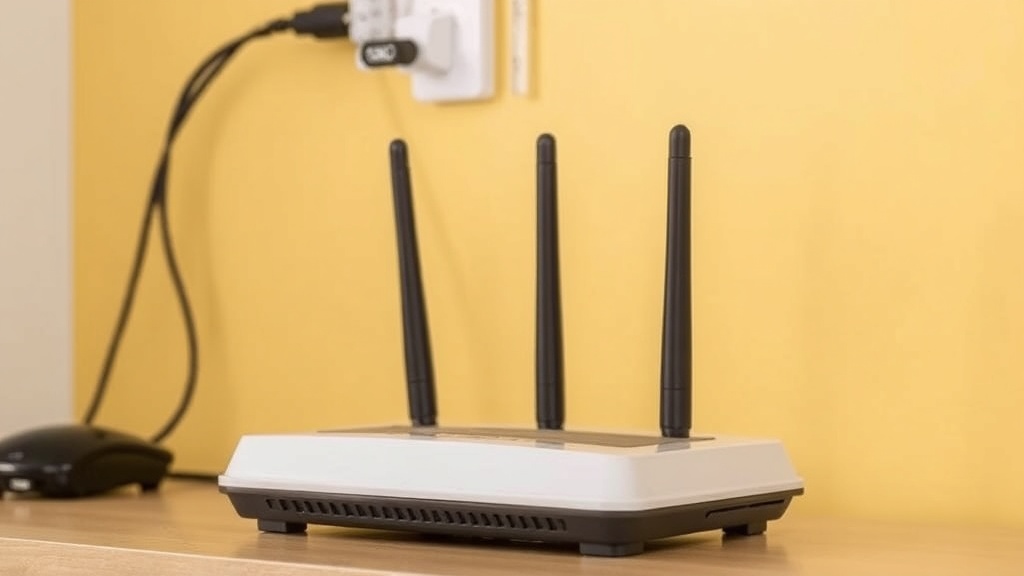
One of the most effective solutions for modem not working after power outage is a proper power cycle. This involves turning off your device, unplugging it, waiting, then turning it back on. Here’s how:
- Turn off the modem and unplug the power cord.
- Wait at least 30 seconds to allow residual power to drain.
- Reconnect the power cable securely.
- Turn the modem back on and wait for the lights to stabilize.
Sometimes, this simple step resets internal hardware and clears minor glitches caused by power interruptions.
3. Check and Reconnect Cables
Loose or damaged cables are a common culprit when your modem not working after power outage. Ensure all connections are tight and correctly plugged in:
- Ethernet cable from modem to router (if separate)
- Coaxial cable, if applicable
- Power adapter and socket
Inspect cables for visible damage, fraying, or corrosion. Replace any compromised cables to restore proper connectivity.
4. Examine the Status Lights
Indicator lights on your modem provide vital clues about its status. Typically, a healthy modem shows solid or blinking lights for power, downstream, upstream, and online status. If the lights are off or flashing irregularly:
- Refer to your modem’s manual for specific meanings.
- Attempt a reboot if the lights indicate a minor error.
- Contact your internet service provider (ISP) if lights remain abnormal.
Clear, steady lights often mean the modem is functioning, while blinking or off lights could signal hardware issues or service outages.
5. Reset Your Modem to Factory Settings
If all else fails, a factory reset can resolve firmware glitches that prevent normal operation after a power outage. Use a paperclip or pin to press and hold the reset button for about 10-15 seconds. Keep in mind:
- This will erase custom settings like Wi-Fi passwords and configurations.
- Reconfigure your network after resetting, if necessary.
- Consult your modem’s manual for specific reset instructions.
Post-reset, monitor if the modem not working after power outage issue persists.
Preventive Measures and Tips
Protect Your Equipment During Power Fluctuations
To minimize damage from future outages and surges, consider investing in surge protectors or Uninterruptible Power Supplies (UPS). These devices can safeguard your modem and other critical electronics, ensuring smoother reboots after outages.
Regular Firmware Updates
Manufacturers often release firmware updates that improve stability and fix bugs. Keeping your modem’s firmware current can prevent issues related to power fluctuations and improve overall resilience.
Know Your ISP’s Outage Policies
Sometimes, the problem isn’t with your equipment but with your service provider. Check with your ISP about scheduled maintenance or known outages in your area. This knowledge helps set realistic expectations and avoids unnecessary troubleshooting when the service is temporarily down.
References and Resources
These resources provide valuable information about modem not working after power outage. Check them out for additional insights:

Authoritative Sources on modem not working after power outage
-
Federal Communications Commission (FCC)
fcc.govOfficial guidelines on home networking and troubleshooting common modem issues after outages.
-
Cisco Networking
cisco.comIn-depth technical articles on modem hardware, firmware, and troubleshooting after power disruptions.
-
TechRadar
techradar.comPractical advice on home networking, including how to handle power outage-related modem issues.
-
Consumer Reports
consumerreports.orgRatings and reviews on surge protectors and UPS devices that help prevent modem failures after power outages.
-
TechHive
techhive.comGuides on network device maintenance and troubleshooting tips for post-outage scenarios.
-
Wired
wired.comExpert insights on network stability and hardware resilience during power fluctuations.
-
ZDNet
zdnet.comTechnical articles on troubleshooting hardware failures caused by power outages.
-
Ars Technica
arstechnica.comAnalysis of power outage effects on networking equipment and how to mitigate them.
-
NPR – Tech Section
npr.orgNews and practical advice on dealing with internet disruptions after outages.
Frequently Asked Questions
What should I do first if my modem is not working after a power outage?
The initial step is to verify that the power outlet is functioning properly. Check other devices plugged into the same socket, reset the circuit breaker if necessary, and ensure your power strip or surge protector hasn’t tripped. Once confirmed, proceed with a power cycle of your modem.
How can I fix modem not working after power outage without calling technical support?
Start with basic troubleshooting: power cycle your modem, check all cables, and ensure the device’s lights indicate normal operation. If issues persist, perform a factory reset and update your firmware. Often, these steps resolve common post-outage problems without needing professional assistance.
Can power surges damage my modem during an outage?
Yes, power surges during outages or when restoring power can damage sensitive components inside your modem. To prevent this, use surge protectors or UPS devices, which help mitigate the risk and protect your equipment from sudden voltage spikes.
Why do some modems fail to reconnect after power is restored?
This can be due to firmware issues, faulty hardware, or incomplete reboot processes. Sometimes, the modem’s internal memory may need resetting through a factory reset, or firmware updates are required to restore proper functionality after power disruptions.
Is it necessary to contact my ISP if my modem is not working after a power outage?
Yes, contacting your ISP can help determine if there’s an ongoing service outage or if the problem is specific to your equipment. They can run remote diagnostics or send a technician if needed.
Conclusion
Experiencing a modem not working after power outage can be a frustrating experience, but with a systematic approach, most issues are resolvable. The key is to start with simple checks—power sources, cables, and indicator lights—and progress to more advanced solutions like resets and firmware updates. Remember, protecting your equipment with surge protectors and UPS devices can significantly reduce the risk of future outages causing hardware failures.
Ultimately, understanding the common causes and troubleshooting steps empowers you to restore your internet connection quickly and efficiently. Don’t hesitate to reach out to your ISP if problems persist; professional support can often resolve complex issues faster. Stay proactive, stay connected.

Find out more information about “modem not working after power outage”
Search for more resources and information: